
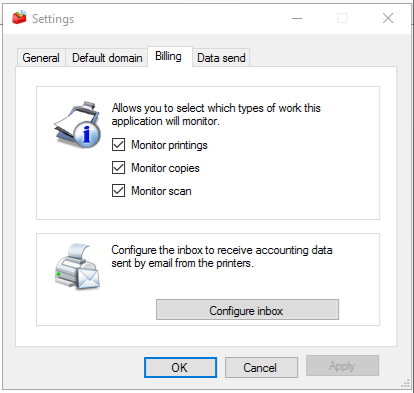
Configure the types of jobs that the n-MF Kyocera will monitor.
-
Go to the Tools menu
-
Click on Settings > Accounting tab
-
Select the job types
-
Click OK
Configuring the mailbox
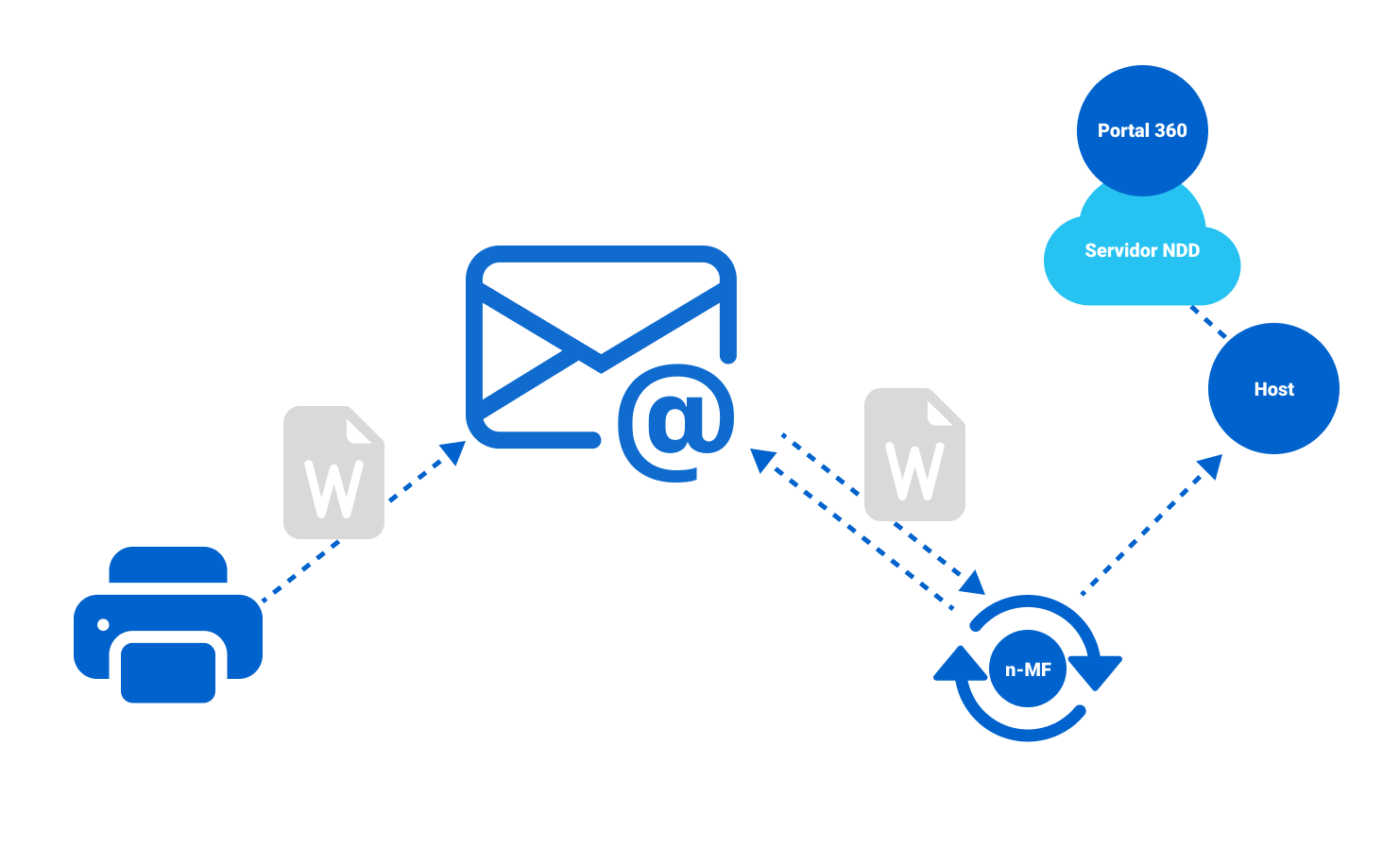
This setting allows the Kyocera n-MF to process jobs sent by the printer to an e-mail box.
Before you start
For printers that have already been added, you must remove and add them again by selecting the “Enable email accounting” option.
Step 1: Configure SMTP on the device
This configuration allows the device to use the job log history function.
-
Access the device's web site with an administrator user
-
Click on Network Settings > Protocol
-
Activate the SMTP protocol and click on Email settings
-
Fill in your SMTP server information
-
Click on Send
For more information on how to configure the equipment, go to the Kyocera help center and view the Operation Guides for the model you want to configure.
Step 2: Configure the sending of job record history
This setting activates the sending of historical job records to the specified destinations whenever the number of records is reached.
-
Access the device's web site with an administrator user
-
Click on the menu Management settings > Job history
-
Fill in the information
-
Recipient e-mail address: Address to which the logs will be sent
-
Subject: Subject of the e-mail to be sent
-
Automatic sending: Check this option so that the e-mail is sent when the number of jobs is recorded
-
Number of records: Fill in the number of records that will be sent
-
-
The processing of the n-MF Kyocera depends on the number of jobs sent to the e-mail. For example, if you set the number of records to 100, the e-mail will only be sent by the printer when this number is reached, which could result in a delay in accounting.
-
Personal information: Select Contains for the job information to be sent
-
Click on Send
Step 3: Configure the mailbox on the n-MF Kyocera
This setting allows n-MF Kyocera to search for job records in the mailbox configured in Step 2.
-
Go to the Tools menu
-
Click Settings > Accounting tab
-
Click Configure inbox
-
Choose the type of configuration you are using on the devices:
-
POP3
-
IMAP
-
Office365
-
-
Fill in the information depending on the configuration used
For your security, sensitive information such as your password, username and e-mail address will be encrypted.
-
Choose the period for which n-MF Kyocera will search for information
You can set it from 1 to 60 minutes.
-
Click OK