Fail
Error “System.InvalidOperationException: This implementation is not part of the FIPS-validated cryptographic algorithms of the Windows platform”.

Cause
FIPS encryption enabled in the Operating System.
Solution
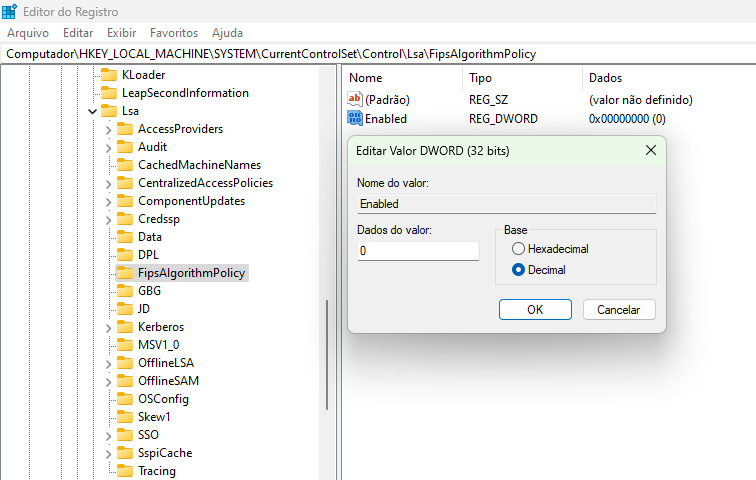
Disable FIPS encryption by following the steps below:
-
Open the Windows registry (win+r and type regedit)
-
Access the path: HKEY_LOCAL_MACHINE\SYSTEM\CurrentControlSet\Control\Lsa\FipsAlgorithmPolicy
-
Right-click on the Enabled key, click on Modify
-
Select decimal
-
Change the value to 0 and click OK