Fail
When sending PDF files to the Releaser Group using the Ricoh Universal PCL6 driver, the printout is generated at a large size and it takes a long time for the document to reach the NDD Print Releaser for release.
Cause
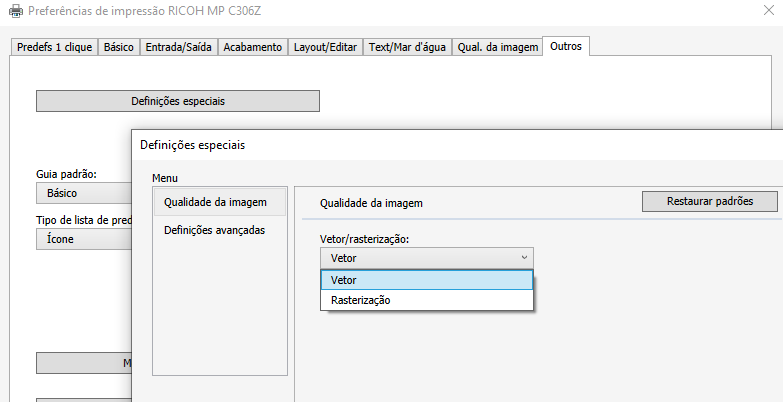
This incident occurs because the image quality setting is selected as Raster.
Solution
To correct the incident, follow the steps below:
-
Access the device queue
-
Right button, print properties
-
Other
-
Special settings
-
Image quality
-
Change the setting to Vector