
Fail
After adding the device to the NDD Print MF Konica, prints sent directly to the queue are not printed.
Cause
When an authentication application is installed on Konica devices, some functions are limited to public users.
Solution
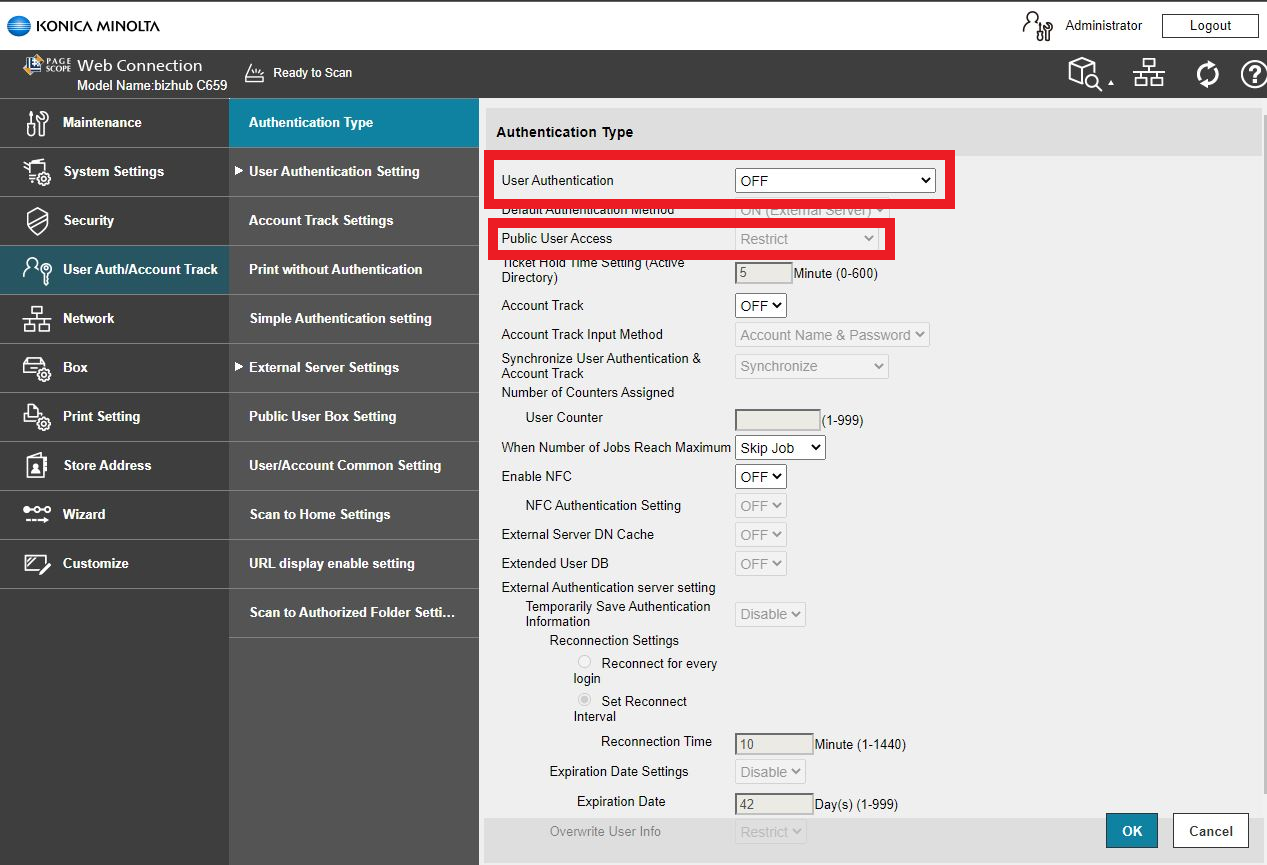
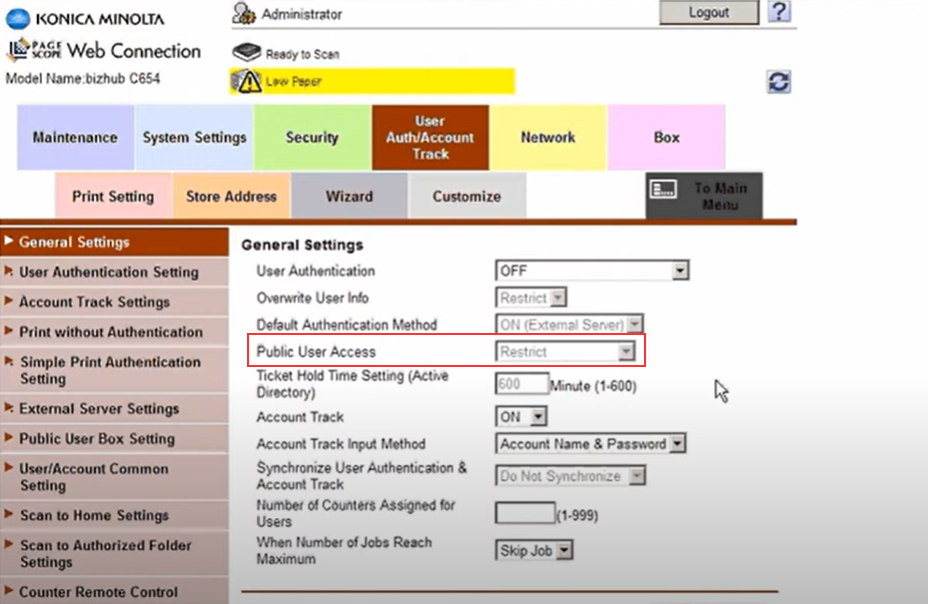
Configure Public user access on the device:
-
Go to User Auth/Account Track > Authentication Method
-
Change the Public User Access setting to ON (Without Login)
-
Click OK to save
Example on a C659 model
Example on a C654 model
Access the manufacturer's documentation for more information.