
Fail
When using the NETWORK/FTP scanning function with the Epson NDD Print Client, the document is not scanned and a process failure is displayed.
Cause
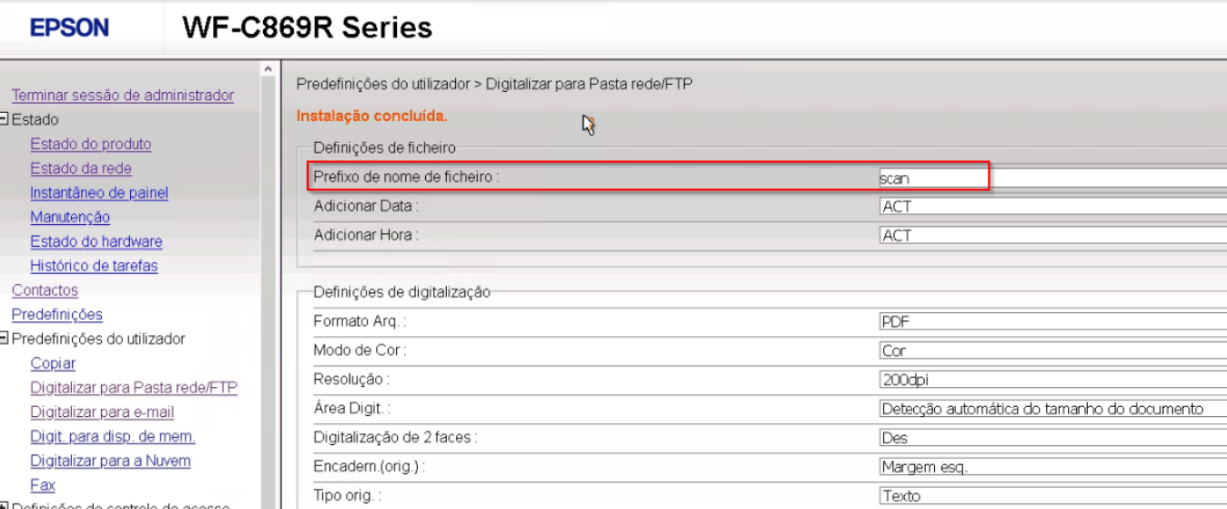
The File Name Prefix has not been configured correctly.
Solution
Configure the Filename Prefix by following these steps:
-
Authenticate as an administrator on the device's web
-
User defaults
-
Scan to Network Folder/FTP
-
Fill in the File name prefix field
Other information
The fault was identified in the WF-C869R Series model.