
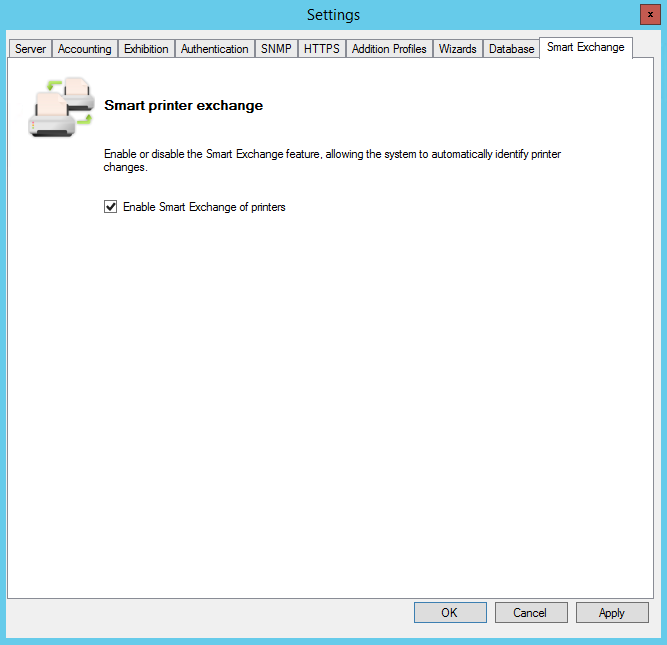
In this article, we'll show you how to enable or disable the feature known as Smart Exchange.
Aimed at helping with printer management, devices that are not in operation or that have had their IP address changed automatically inherit the new network address configured. With Smart Exchange enabled, it is no longer necessary to remove deactivated printers in order to re-register them with a new IP address. Simply set the IP address directly on the devices and the system will automatically update this information.
Before you start
-
Smart Exchange will be applied to printers with the Accounting feature active, even if other features are also enabled, such as Authentication, Copy Quota, or Secure Release.
-
This setting raises processor utilisation and network utilisation.
-
Open the HP NDD Print MF interface
-
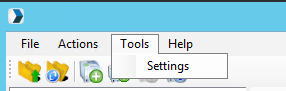
In the menu, click on Tools > Settings
-
Go to the Smart Exchange tab
-
Click on Apply and then on