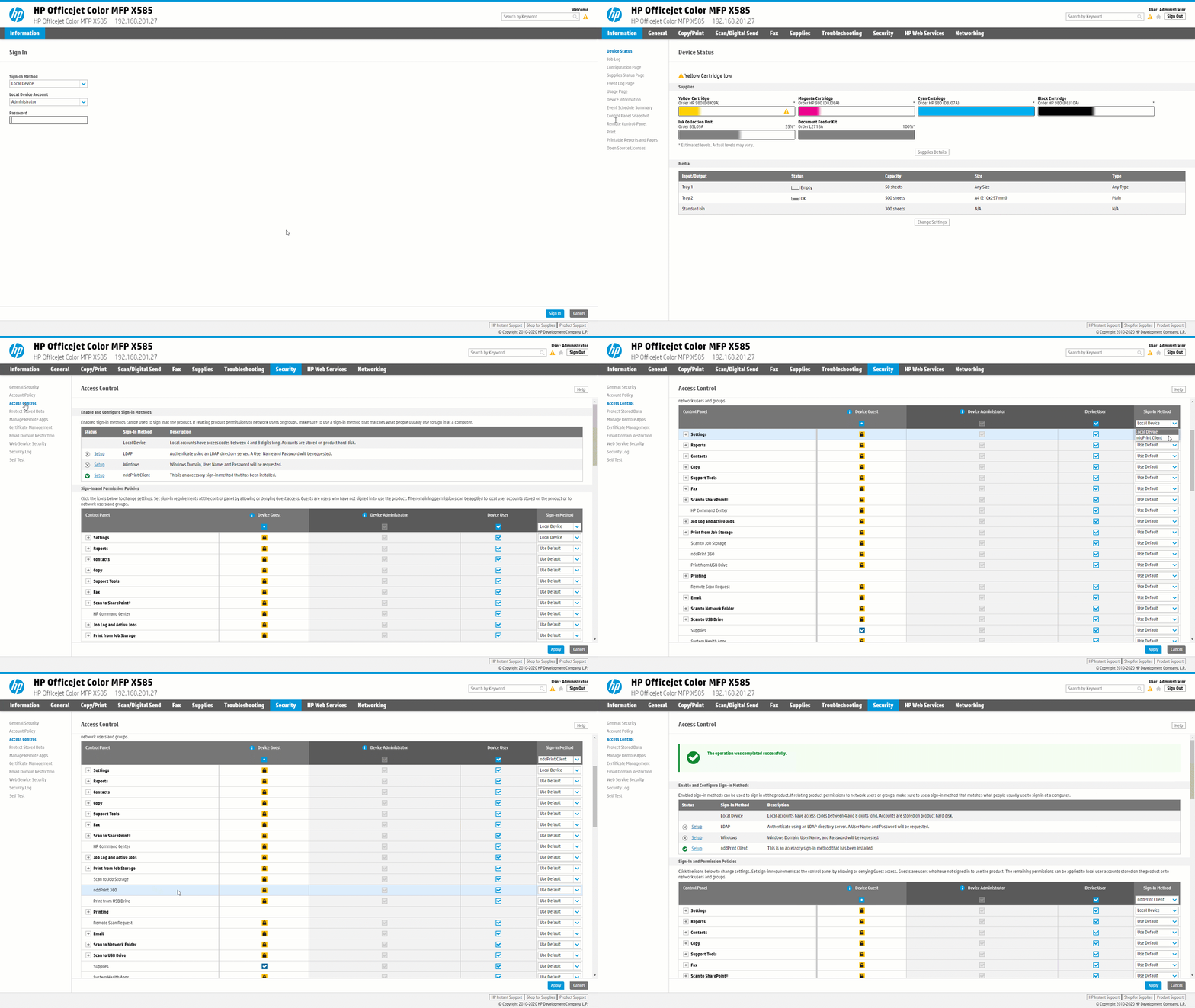
In this article, you will learn how to configure access control when the printer is added to NDD Print MF HP using the Control by device profile.
Before you start
-
This configuration should only be carried out after adding the device to NDD Print MF HP.
-
If the printer has been added to use the Releaser (Secure Document Release) functionality, blocking the NDD Print 360 application is mandatory.
-
If the printer has been added to use the Quota on copies feature, locking the Copies application is mandatory.
Setting the function lock
-
Access the device's web page
-
Go to Security > Access control
-
Under Permission and login policies, in the Login method column (top of the list), choose NDD Print Client
-
In the Device guest column, choose the functions that will be blocked
-
Click on the icon


We have locked
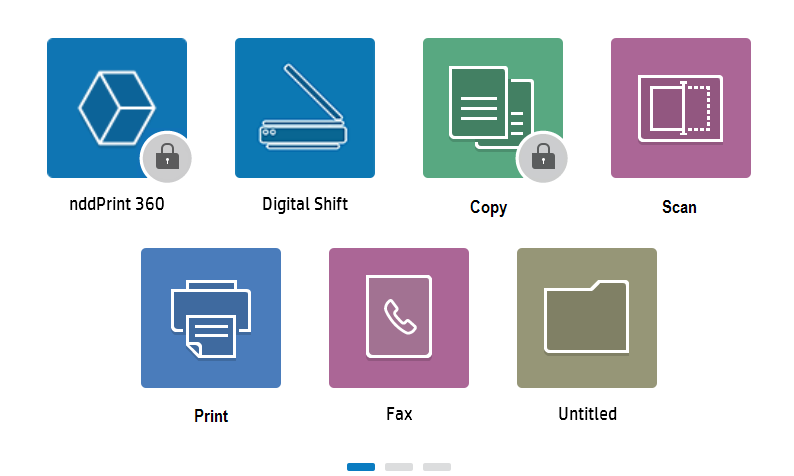
-
Click on Apply
To completely lock the device's screen, simply select all the applications in the list.