-
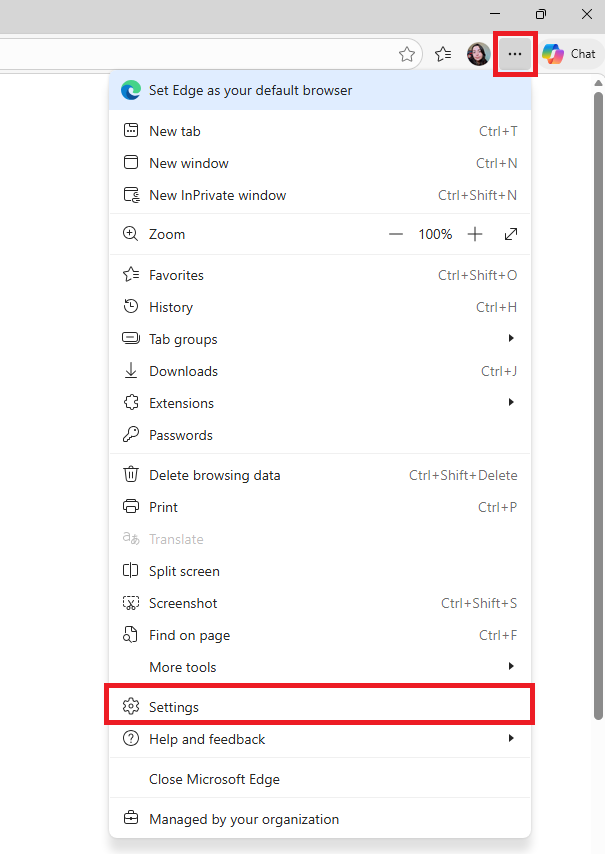
Open Microsoft Edge
-
In the upper-right corner, go to settings
-
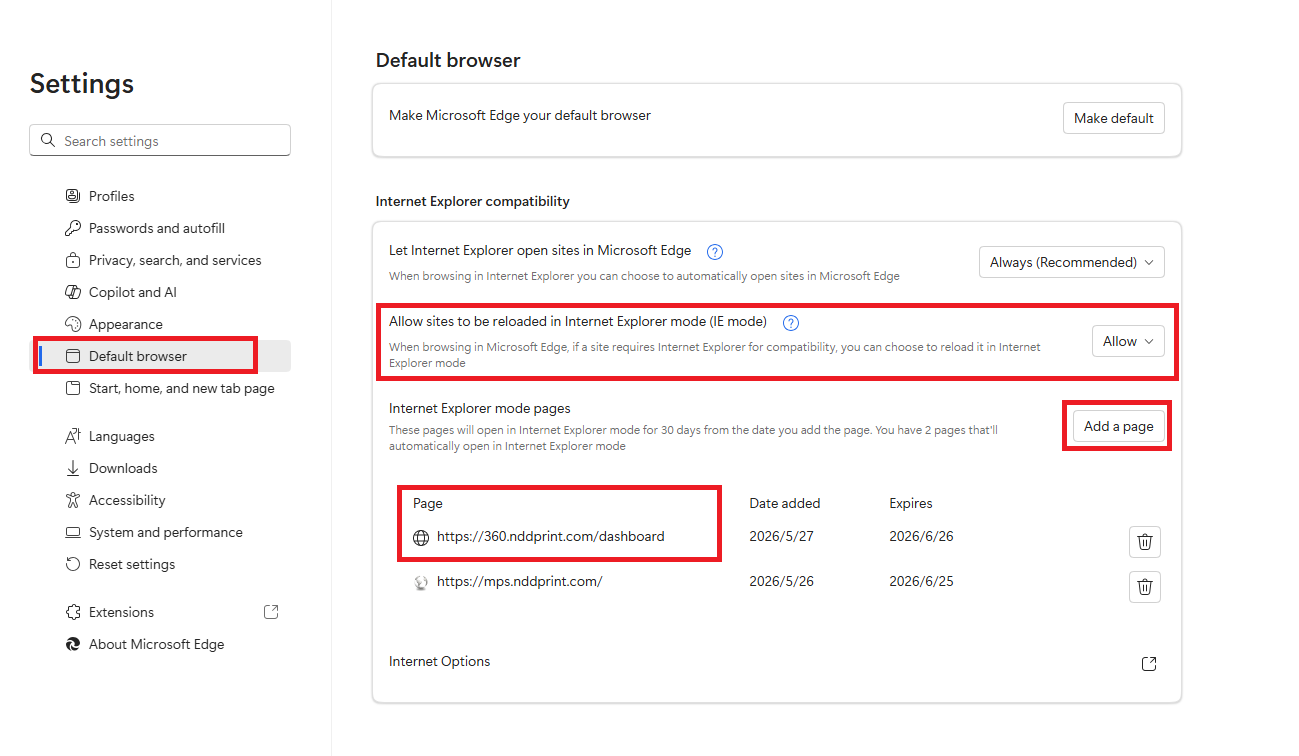
Go to the Default Browser tab
-
Locate the option “Allow sites to be reload in Internet Explorer mode”
-
Change it to Allow
-
Under the Internet Explorer mode pages option, click Add a page
-
Add the link to the NDD Print Portal 360
-
Click Add
-
Restart Microsoft Edge to apply the changes