This article only covers the use of the NDD Print MF and Client HP with Network Load Balancing (NLB).
Objective
Use the features of the NDD Print Client HP in Network Load Balancing (NLB) environments.
Before you start
-
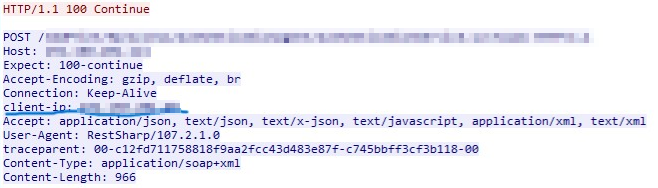
Copy the name of the client IP key configured in the NLB;
Instructions
-
Access the Windows registry
-
Go to Computer\HKEY_LOCAL_MACHINE\SOFTWARE\NDDigital\nddPrint\MF\HP.
-
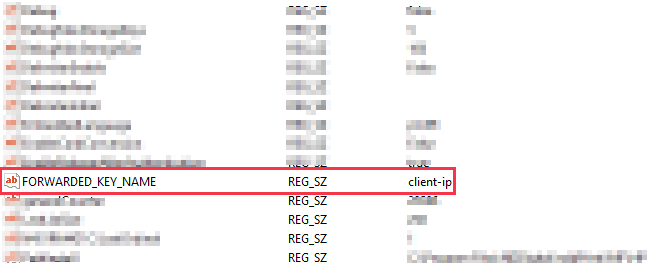
Create a new key of type String Value with the name FORWARDED_KEY_NAME.
-
Fill in the key value with the client IP key name configured in the NLB
-
Click on OK
In the example below, the name of the key has been set to client-ip:
HTTP call header: