
Objective
Use OmniKey readers with NDD Print MF/Client on HP devices.
Before you start
-
Restore the reader to factory defaults
-
Download and install the drivers from the Drivers & Downloads | HID Global
Instruções
-
Plug the reader into a USB port on your computer
-
Through a browser, access the address 192.168.63.99
-
In the General Config tab, select the options:
-
Keyboard Wedge EnableOutput Type
-
Keyboard Wedge
-
Boot Interface
-
Fill in the CardOut Event Keystrokes field with the string [ENTER]
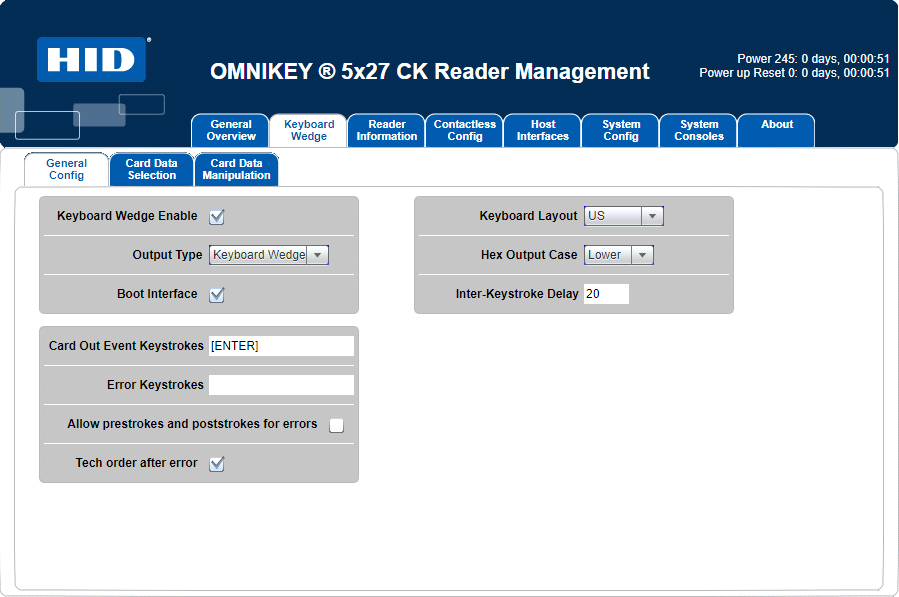
Omnikey configuration
-
-
On the Card Data Selection tab, select the RFID card to be used, for example: HID iClass
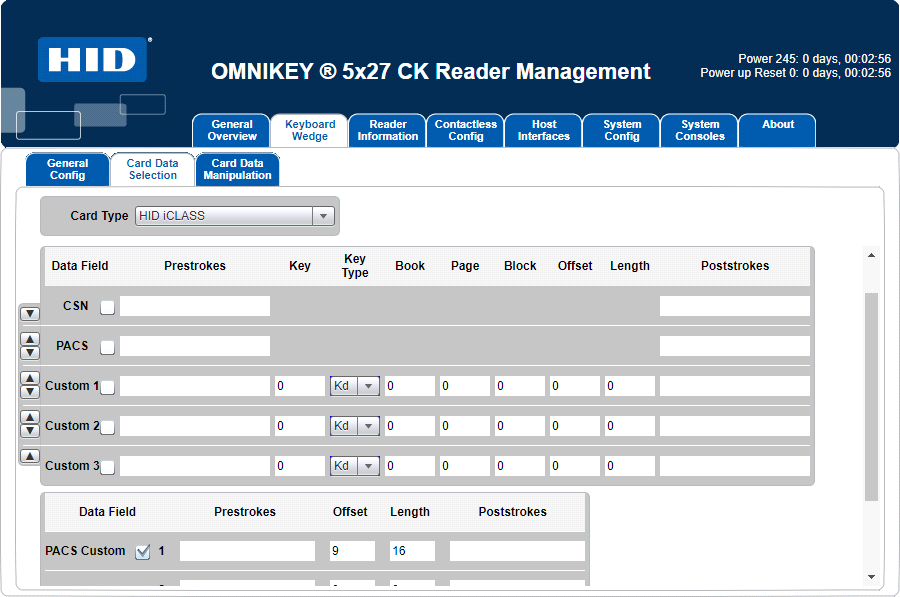
Omnikey configuration -
In the Card Data Manipulation tab:
-
Remove the markings from the CSN and PACS fields;
-
In the PACS Custom field, select the Char 0 checkbox;
-
Leave the Format field in DEC (decimal)
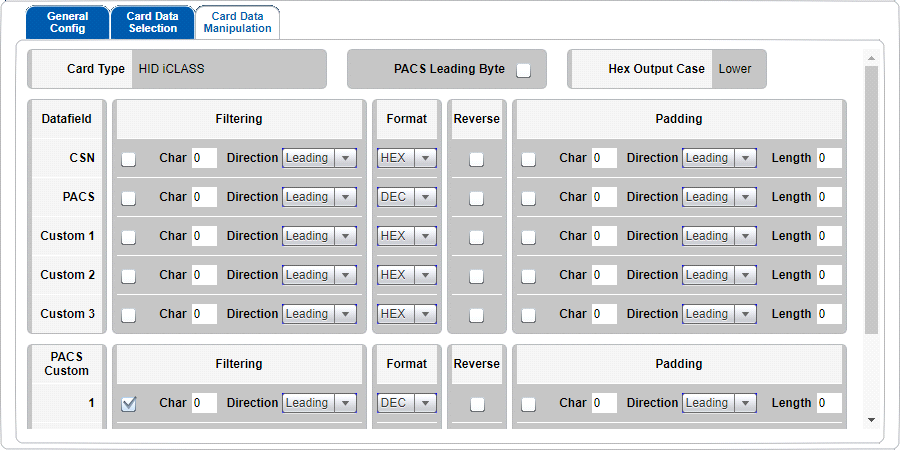
Omnikey configuration
-
-
Go to the System Config tab and click Apply Changes.
-
Connect the reader to the USB port on the device and bring the card close to the reader.
While the reader is connected to the computer, you can use Windows Notepad to test the card's readability
The reading of card codes may vary depending on the card model used
Related pages