In this article, you will learn how to lock printer functions so that users only have access after authentication, using the NDD Print Client Epson.
Before you start
-
This configuration must be carried out before adding the device to NDD Print MF Epson.
-
If the printer has been added to use the con Controlled copy feature, blocking the Copies application is mandatory.
Block native functions
-
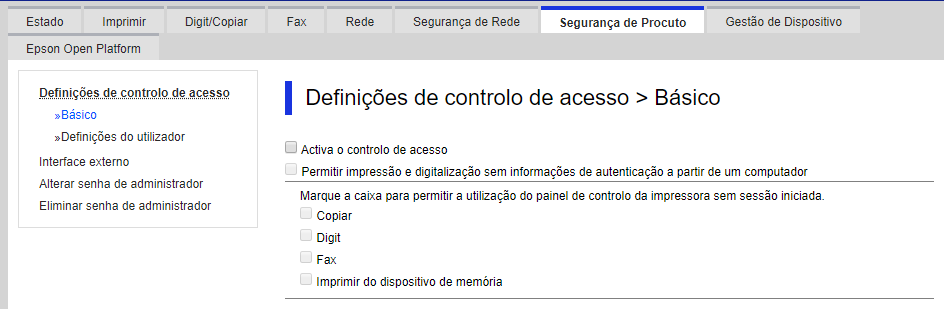
Access Product Security > Basic
-
Check the options:
-
Enable access control
-
Allow printing and scanning without authentication information from a computer
-
-
Select the options you want to block:
-
Copy
-
Scanning
-
Fax
-
Print from memory device
-