
In this article, you'll learn how to add printers for job accounting.
Printer Accounting methods
|
Web |
In this accounting method, NDD Print MF Epson searches for job data via the HTTP or HTTPS protocol in predefined locations on the device's web interface. |
|---|
Add the printer for accounting
Before you start
-
Make sure you carry out the Basic settings for NDD Print MF Epson.
-
Make sure Activate Epson Open Platform (EOP) on the printer.
Step 1: Configure NDD Print MF Epson
-
Open the NDD Print MF Epson interface
-
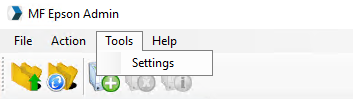
In the menu, click on Tools > Settings
-
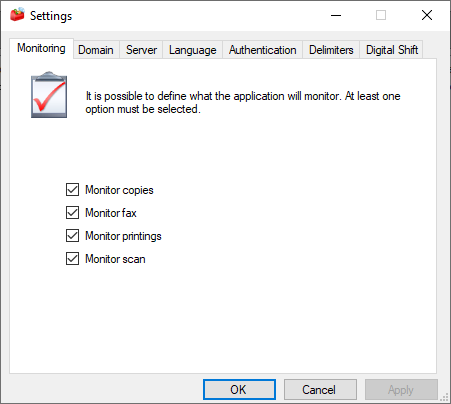
In the Monitoring tab - Select the types of jobs you want to account for
-
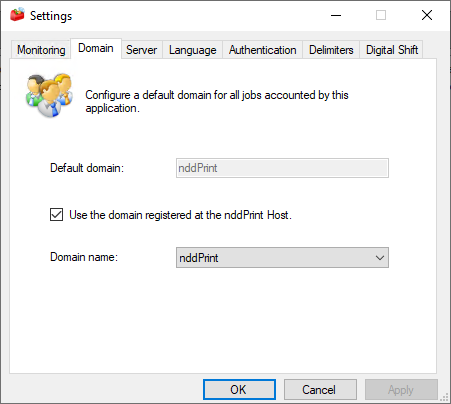
In the Domain tab - Configure the domain where the jobs will be registered
Step 2: Add printer
-
In quick actions, click on Add Printer

-
Enter the device data and click on Next
-
Wait for the wizard to finish adding the equipment and click Next and Finish
Accounting date and time
To guarantee the accuracy of the dates and times of the information collected, which will be used to form the accounting data package, it is necessary to pay attention to two specific settings on Epson printers:
-
Date and time
-
Time difference
Step 1: Date and time
To start this process, you need to enter the date and time of the location where the equipment is installed.
-
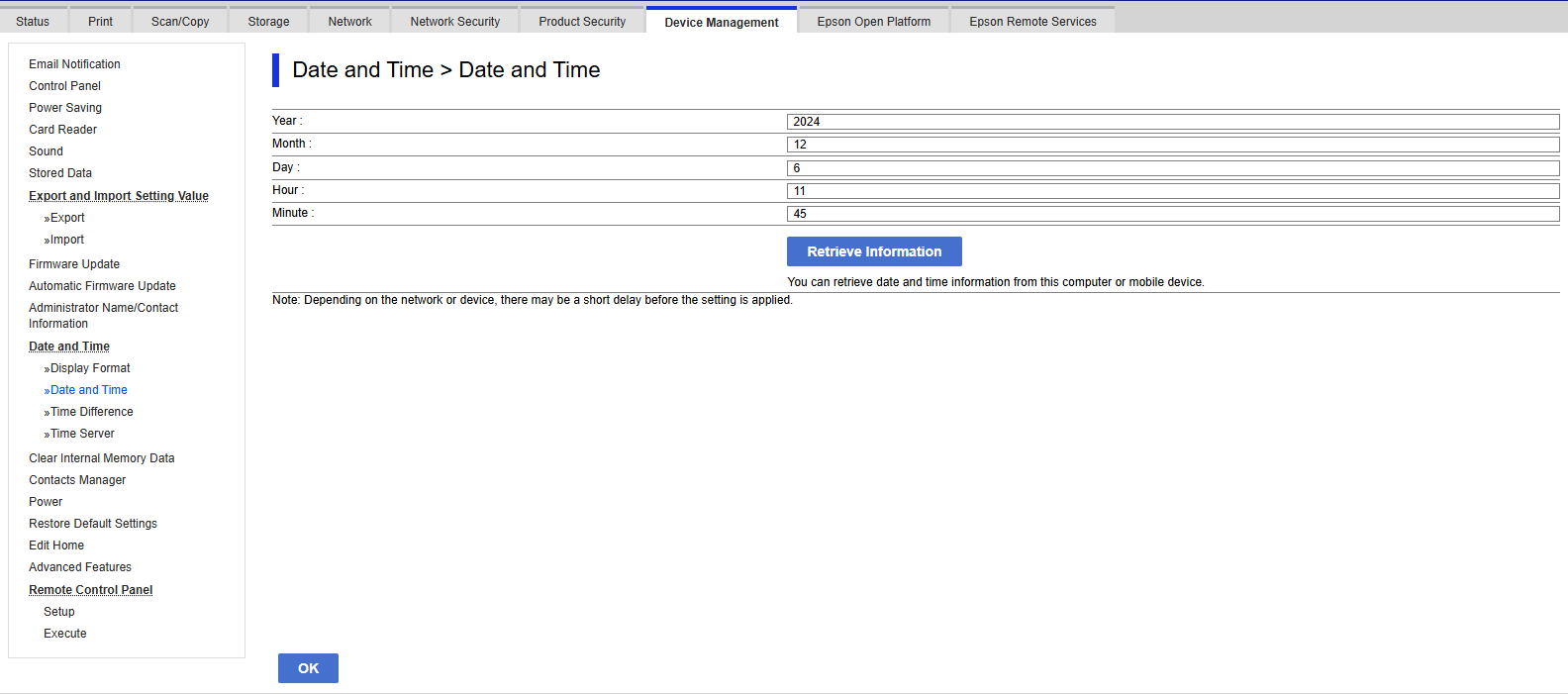
Access the printer's web page and in the main menu go to Device Management
-
In the specific vertical menu, in the Date and Time area, go to Date and Time
-
Update the data with the local time where the device is located.
Step 2: Time difference
In this second step, we must enter the UTC (Coordinated Universal Time) of the place where the device is located.
-
Access the printer's web page and in the main menu go to Device Management
-
In the specific vertical menu, in the Date and Time area, go to Time difference
-
Register whether daylight saving time is in force or not and enter the UTC of the place where the printer is located.
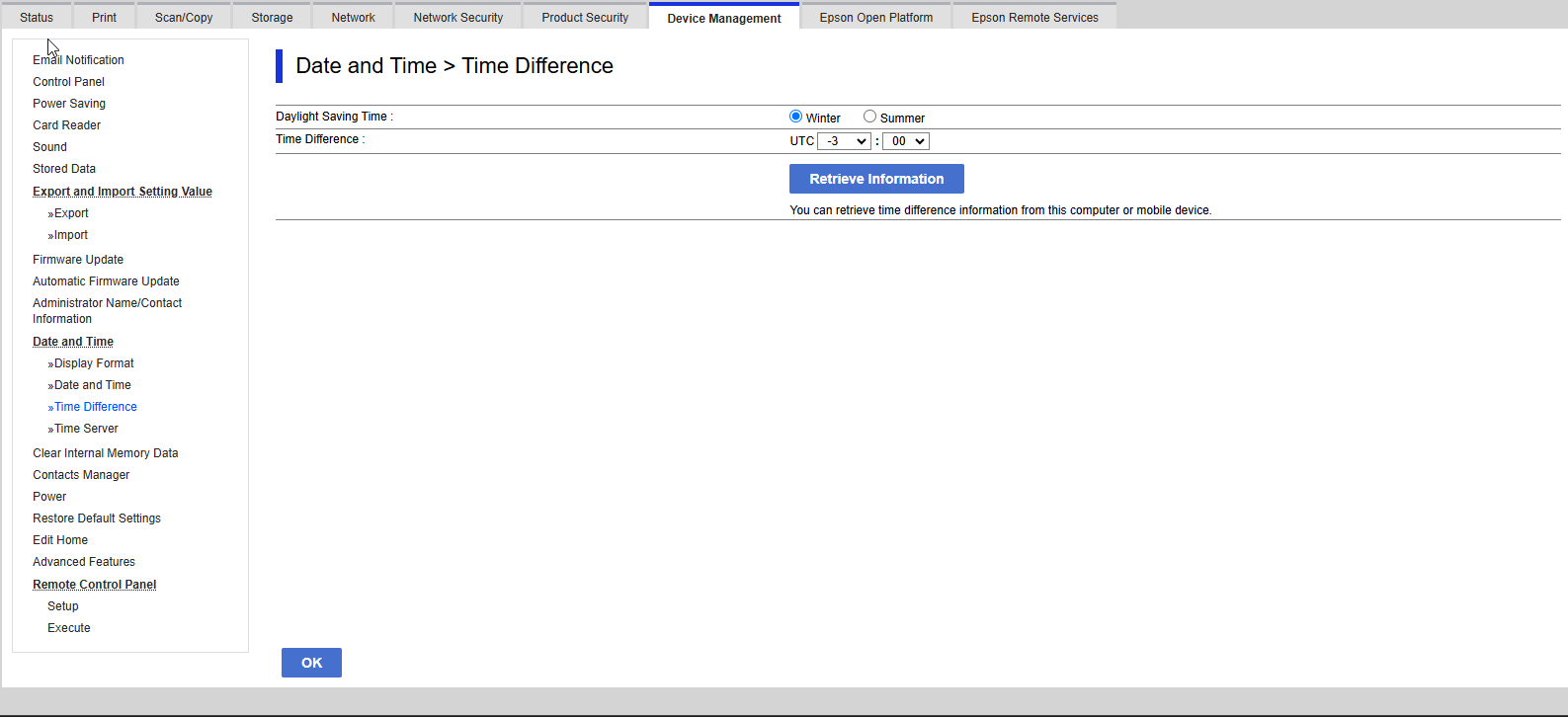
The options shown on the printers' web pages may differ from the images above, depending on the model.
Server
On the server where NDD Print MF Epson is installed, both the time and the time zone must be correct. Non-compliance with this data can result in inconsistencies in accounting