Before starting to add devices to use the features, we must configure NDD Print MF Epson.
To access the settings
-
Open the NDD Print MF Epson interface
-
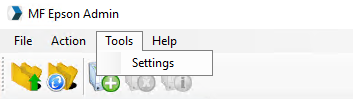
In the menu, click on Tools > Settings
1. NDD Print Host server
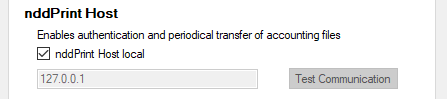
To use the authentication, accounting and/or copy control features, the NDD Print Host address must be configured.
-
Go to the Server tab
-
Uncheck Local Host if the NDD Print Host is on another server
-
Fill in the server address
-
Click Apply > OK
Setting the time for sending the information to the NDD Print Host in Synchronize.
2. NDD Print Releaser Server
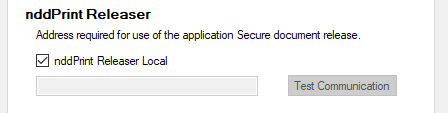
To use the secure release feature, you need to configure the NDD Print Releaser address.
-
Go to the Server tab
-
Uncheck Local nddPrint Releaser if the NDD Print Releaser is on another server
-
Fill in the server address
-
Click Apply > OK