
Objective
To detail all the settings required to use the Events module in NDD Print MPS.
Before You Begin
To configure the settings, you first need to understand the types of events available in NDD Print MPS, which are:
-
System events: These are events generated based on system information, in this case from NDD Print MPS; that is, this type of event is not reported by the printer—NDD Print MPS itself will trigger the event based on the settings (detailed below).
-
Printer events: These are events generated by the printer itself. Within NDD Print MPS, they are categorized as basic events and advanced events, which refer to more specific printer issues.
-
Manual events: Events opened manually, that is, by a user who may be logged into either the NDD Print MPS portal or the service portal.
Alert Rules
Alert rules are used to categorize alerts based on their criticality. You can apply general rules, which apply to all companies monitored in NDD Print MPS, or create specific rules for individual companies.
To create an alert rule, navigate to: Settings > Alert Rules

As mentioned above, here you can view general rules or company-specific rules; in both cases, you can view or edit:
-
System events;
-
Printers events (categorized as basic and advanced events).

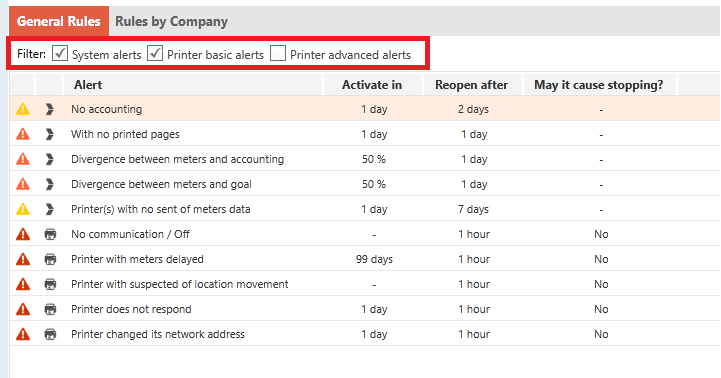
Based on the selected filters, the system will display the events reported by the printers that have already been identified by the system:
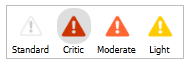
The icons now make it possible to see whether an event is inactive or what its criticality is:

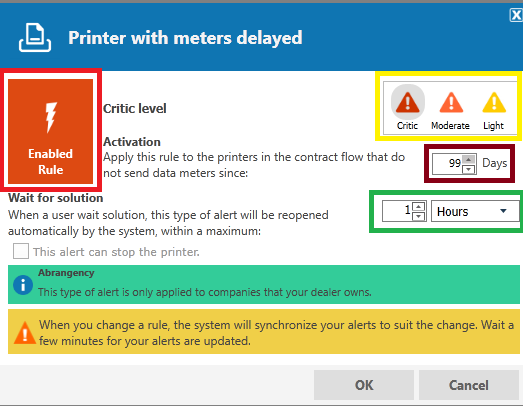
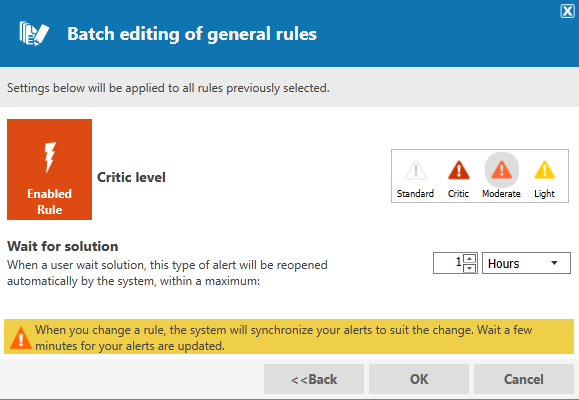
If you want to disable or change the criticality of an event, simply select it and go to “Edit Warning Rule”:

-
Event activation;
-
Change the event's criticality;
-
Time interval that NDD Print MPS will consider for activating the event in the system;
-
Time interval that NDD Print MPS will consider for reopening the event if it has been marked as pending resolution.
You can also edit the event(s) for a specific company. To do this, simply go to:

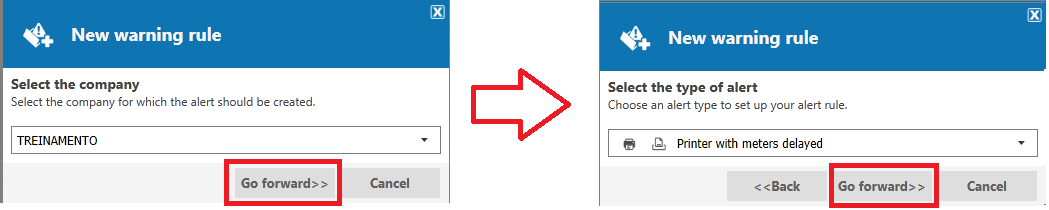
The next screen that appears will be the same as the one for editing the general rules:
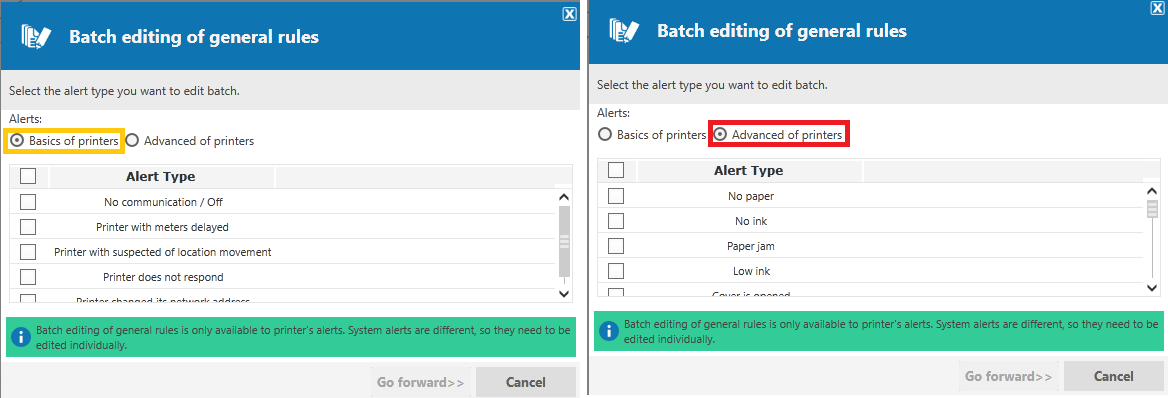
For both options (general rules and company-specific rules), you can perform batch editing of events; to do so, simply select the Batch Edit option:

Action Rules
Action Rules show how actions can be configured and executed in response to events generated for a specific provider in the NDD Print MPS portal. These actions range from sending emails to the people responsible for the event to making calls to the provider’s web service when an event is generated.
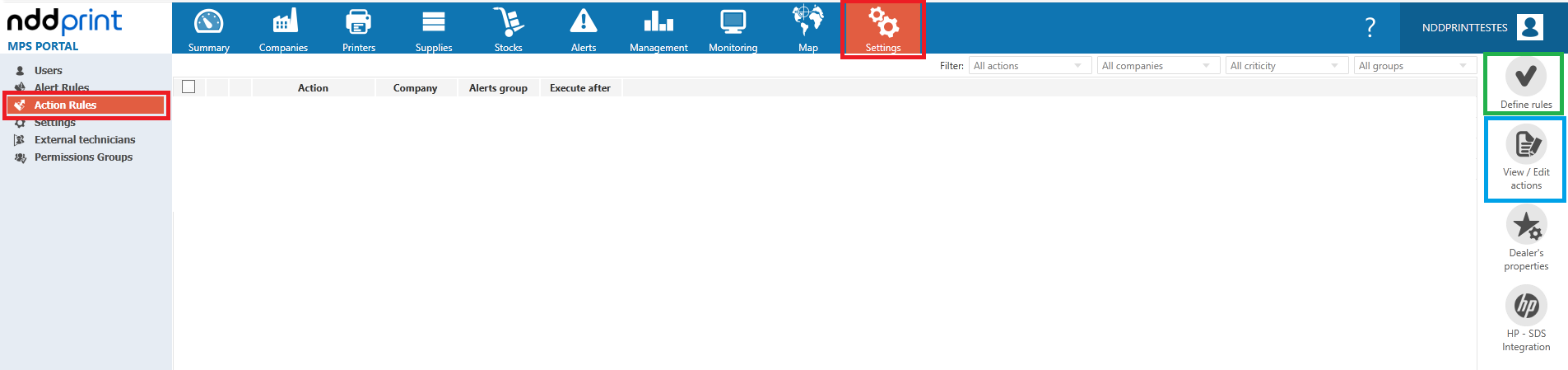
To create or edit action rules, navigate to: Settings > Action Rules
-
Set new action rules;
-
View/edit existing action rules.
Set Rules
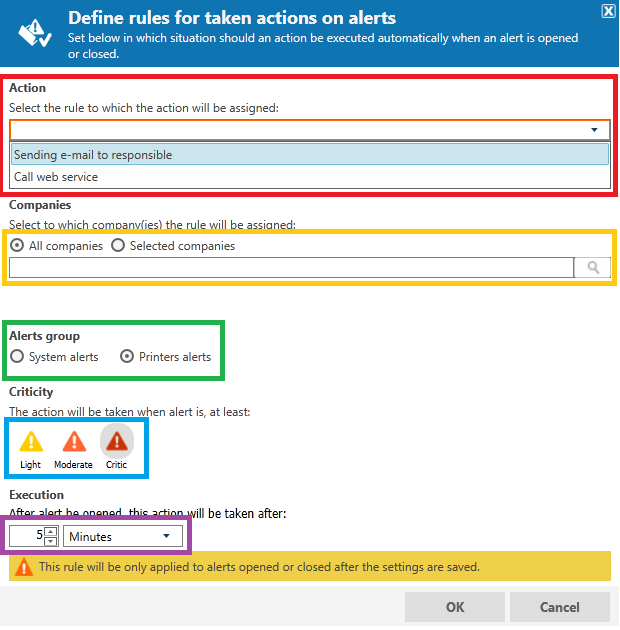
When you select the Set Rules option, the following screen will appear:
-
Select the action to be taken when this rule is applied;
-
Choose the companies to which the rule will apply; you can select all companies or a specific one;
-
Define the events to which the action will apply. To configure settings for both event groups (system and printers), you must create two rules;
-
Select the desired criticality level. To execute the action for all events, select the minimum criticality level of light.
-
Configure the time frame for taking action. After an event is opened, the system waits for the configured time; if the event is not resolved within this interval, the action will be taken.
Permissions
Action Rules show how actions can be configured and executed based on events generated for a specific provider. To access action rules and alert rules, you must have full permission for Alert and Action Rules:
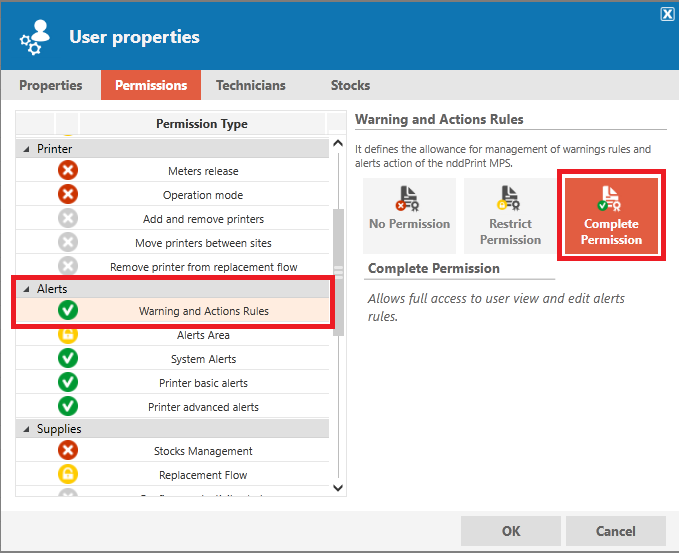
For changes to system permissions, contact the NDD Print MPS administrator at your company.
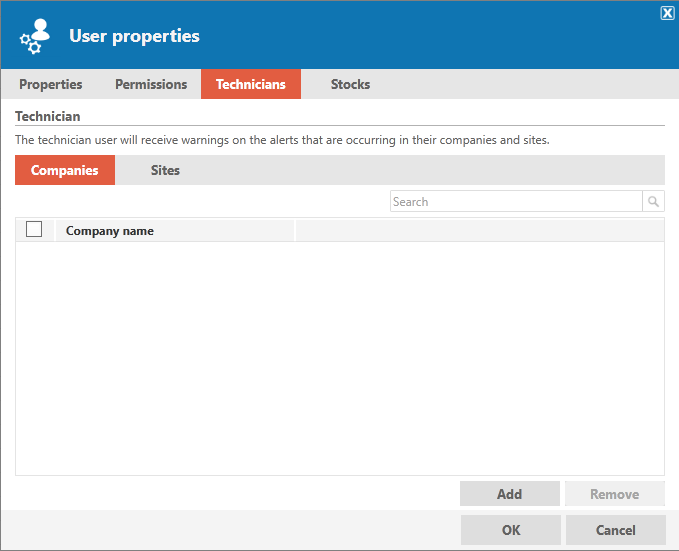
Users who will receive alerts via email from the system must be “technicians” or “external technicians” at their respective companies or sites:

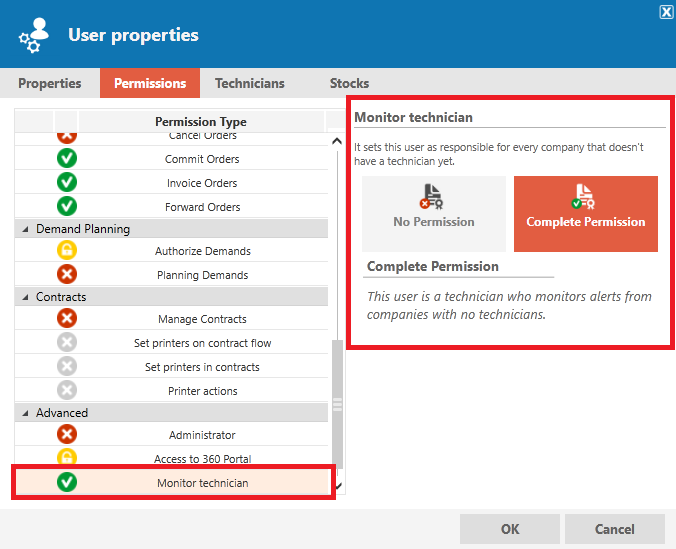
If the company does not have any users with “technician” or “external technician” permissions, users with “Monitor Technician” permissions will receive the following emails:
Frequently Asked Questions
Can I create an action rule to send an email only when there are Minor events?
No, action rules apply when the event is at least Minor; in other words, they also apply to Moderate and Critical events.
Is it possible to edit event criticality in bulk?
Yes, you can do this through the interface under the Settings tab > Alert Rules > View/Edit in Bulk.
Can I disable an event that I don’t want to see only for a specific company?
Yes, you can. To do this, simply go to the Settings tab > Alert Rules > Rules by Company > New Alert Rule.
What is the difference between “technician” and “external technician”?
Users with technician permissions have access to the NDD Print MPS portal, while users registered as external technicians do not have access to NDD Print MPS but receive email(s) with the events, as specified in action/alert rules.