Microsoft Silverlight Installation Guide
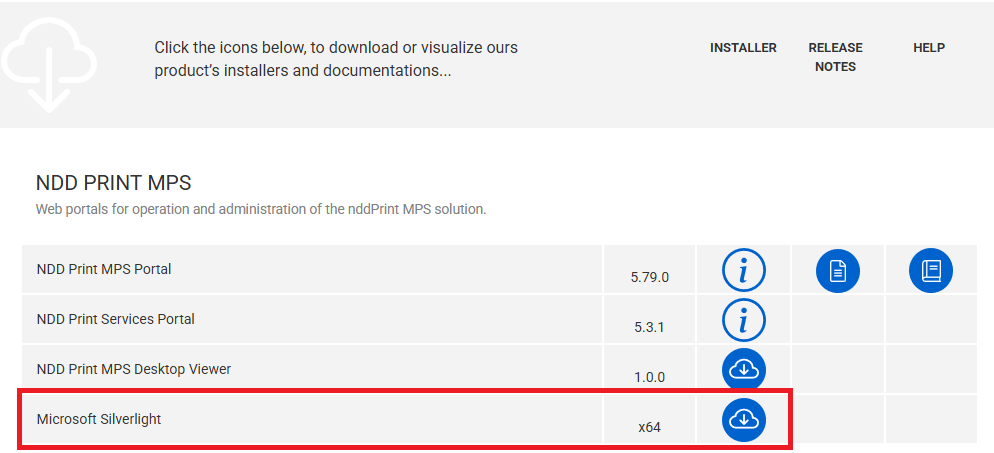
Microsoft Silverlight is no longer available from Microsoft. To download it, access our NDD Resources platform:
-
Go to the Resources page and download the installer.
-
Run the downloaded file
-
During installation, uncheck the following options:
-
Make Bing my search engine
-
Make MSN my home page
-
-
Click Install Now to complete the installation.
Enable Internet Explorer mode
-
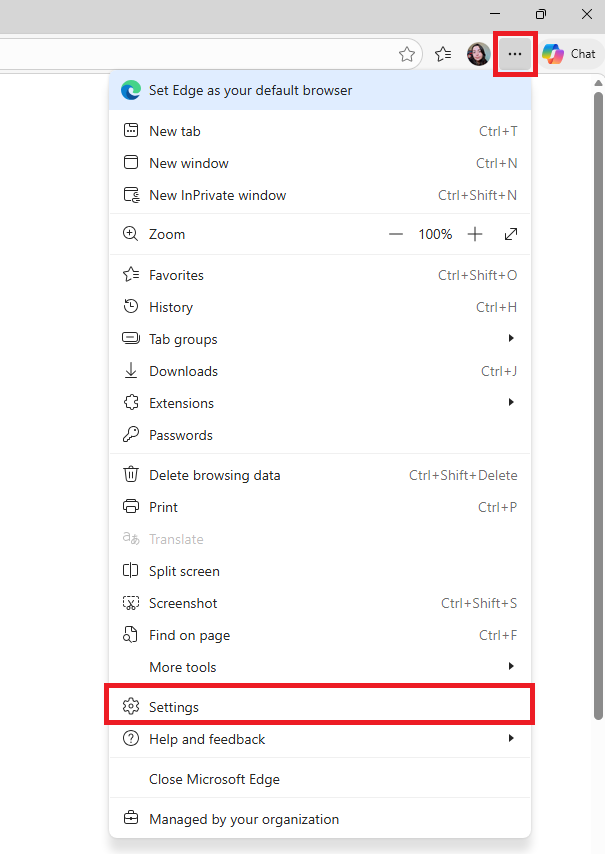
Open Microsoft Edge
-
In the upper-right corner, go to settings
-
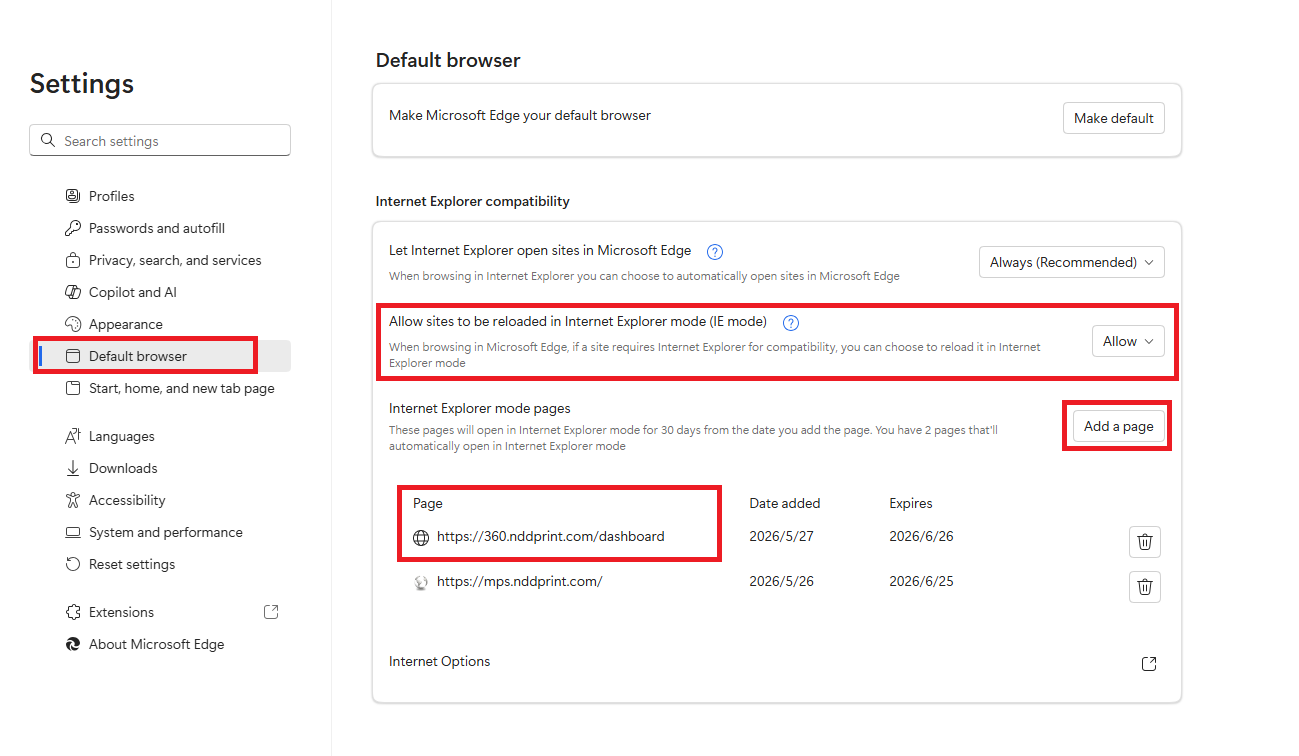
Go to the Default Browser tab
-
Locate the option “Allow sites to be reload in Internet Explorer mode”
-
Change it to Allow
-
Under the Internet Explorer mode pages option, click Add a page
-
Add the link to the NDD Print Portal 360
-
Click Add
-
Restart Microsoft Edge to apply the changes