
The NDD Print Client Pantum component is designed to securely manage Pantum devices approved by NDD, offering the following features:

Authentication
Controls access to documents stored on the server or to the device's native functions.

Safe release
Allows the release of held documents after access credentials have been validated.

Controlled copy
Manages print jobs based on quotas configured in NDD Print Portal 360.
You can consult our Manufacturer Compatibility Guide for detailed information on feature compatibility, as well as a list of compatible printers.
Overview of the Pantum NDD Print Client
The NDD Print Client Pantum is installed directly on the printer to control user access through authentication and allow the release of held documents.
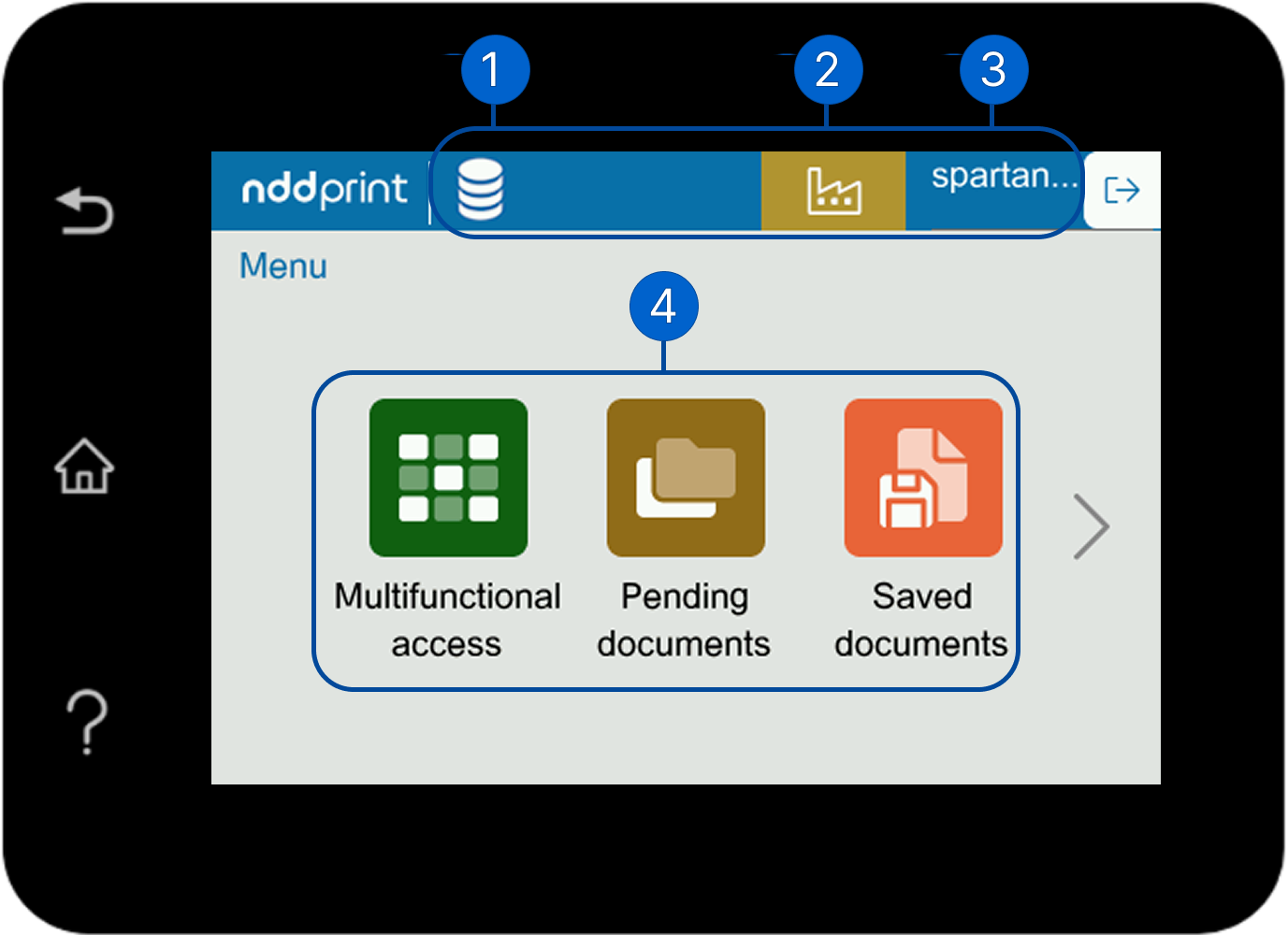
1. Disk space information
Here you can view the disk space information configured for the user.
2. Information on the quota balance
Here you can view the purpose of the account, as well as the user's available balance.
3. Authenticated user
Here you can view the user name that is currently logged in to the NDD Print Client.
4. Active features
Here you can view the active features.
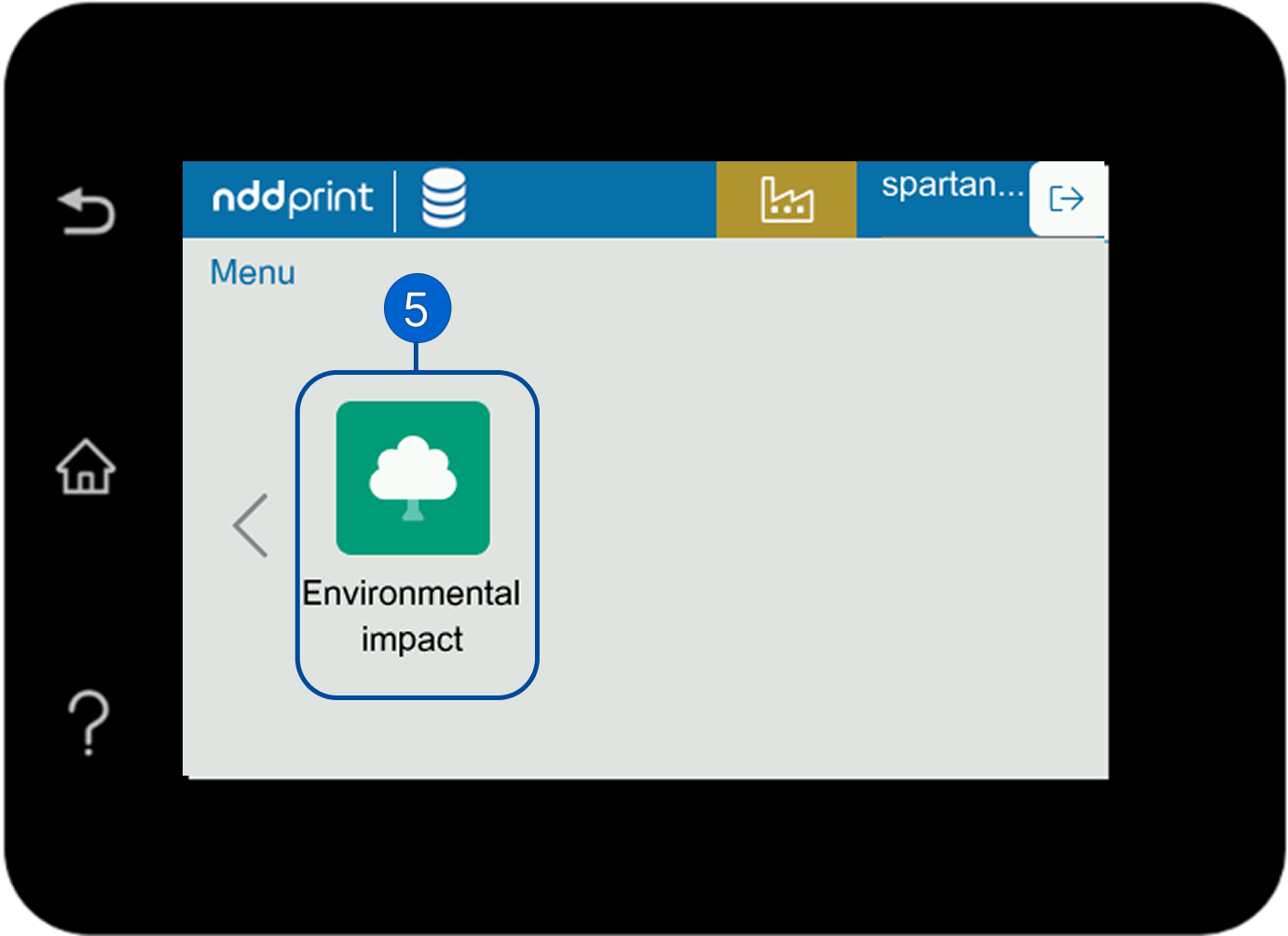
5. Environmental impact
Here you can view estimates of the environmental impact.
Current version
The NDD Print Client Pantum is currently at version 5.0.
For more information about the history of new features and fixes, see the Release notes.