
This section describes the settings used by iWEMC to communicate with printers.
Before you start
Make sure that authentication and the SNMP community are configured on the printers.
Basic settings
-
Select Devices > Device communication settings
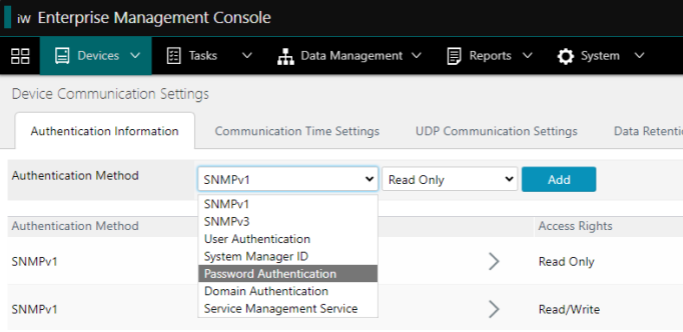
Device Communication Settings -
Define the necessary settings:
|
User Authentication |
|
|---|---|
|
Password Authentication |
If there are printers with different passwords, you must add all the passwords. The tool distributes them automatically. |
|
SNMPv1 |
Fill in the name of the SNMPv1 community defined on the printer If the device is configured to use a dedicated community, select Use a dedicated community. |
|
SNMPv3 |
Fill in the SNMPv3 username, authentication password, encryption password and context name defined on the printer |
|
Service Management Service |
|
Configure the task of checking printer settings
-
Select Tasks > Built-in tasks
-
Select Check Device Setting Values Management Functionality
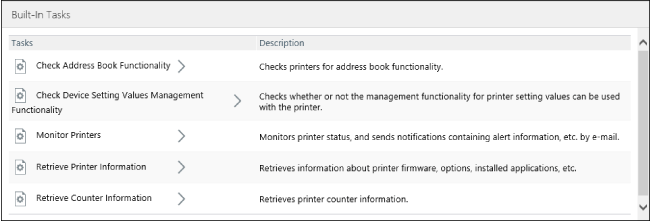
Built-In Tasks -
Click on Execute now
Access the task result
-
Select Tasks > History
-
In the filter, select All tasks
-
Check the status of the task

History
Find out more about the problems in the Troubleshooting section of the tool's official manual.