Failure
The printers are not reporting meter and supply data, even though they are powered on and connected to the NDD Print Host.
Cause
This behavior occurs due to instability or variations in the SNMP communication response time, which can cause requests to time out and result in failures when collecting information.
Solution
We recommend adjusting the monitoring parameters by increasing the timeout values to reduce failures caused by slow device response times.
-
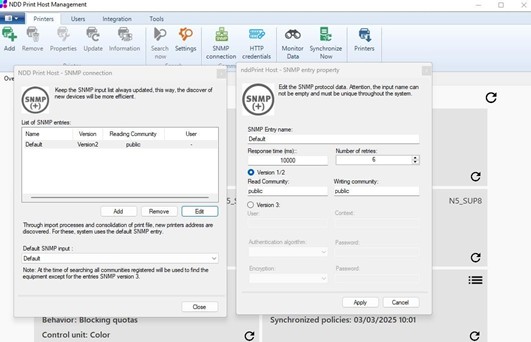
Open the NDD Print Host interface and access the SNMP configuration settings. Change the response time from 3000 to 10000 and increase the number of retries from 3 to 6
-
On the Windows desktop, drag the NDD Print Host icon to the Run window. Add -config to the end of the path and press Enter to open the configuration interface
-
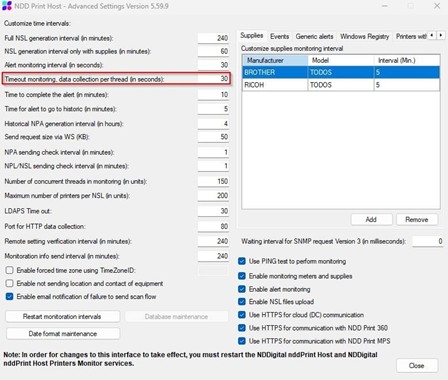
Locate the timeout monitoring settings and change the data collection per thread from 30 to 300