In this article, you will learn how to configure the locking of the device's native functions. This setting allows users to access functions only after authenticating with the NDD Print Client Canon.
-
On the printer screen, log in as the Administrator user
-
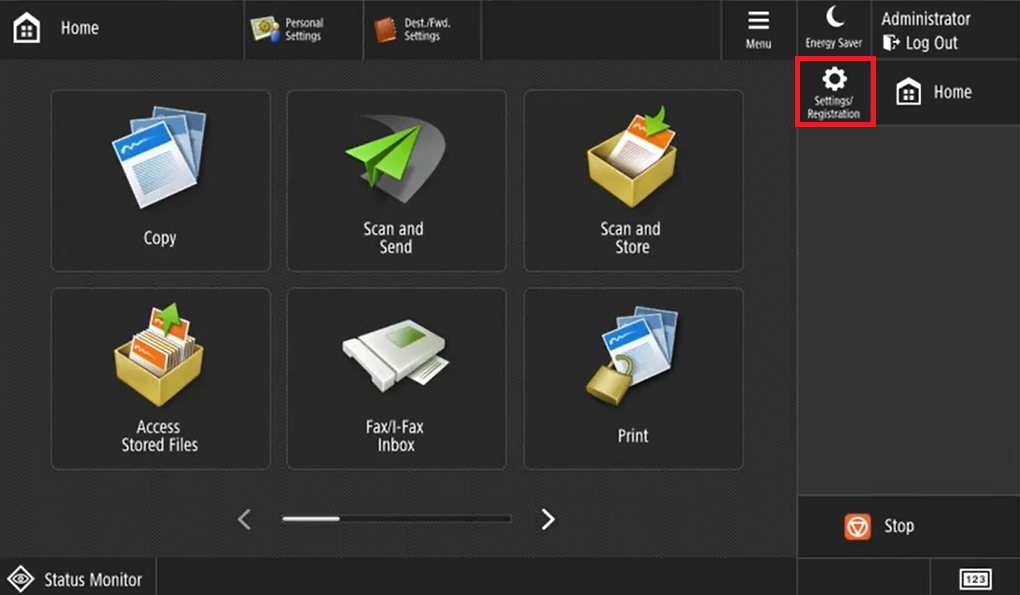
Click on Settings/Registration
-
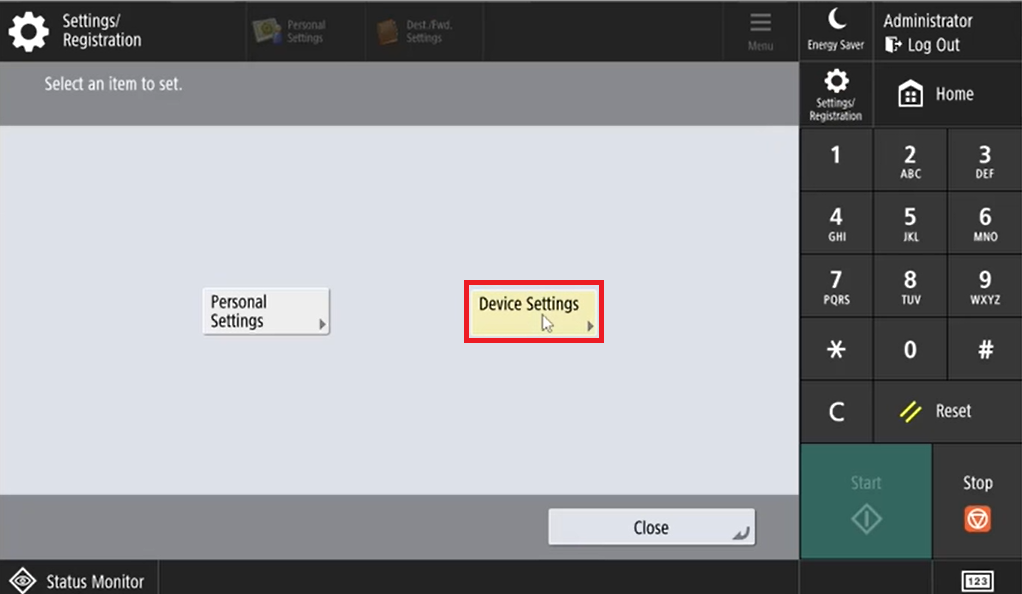
Go to Device Settings
-
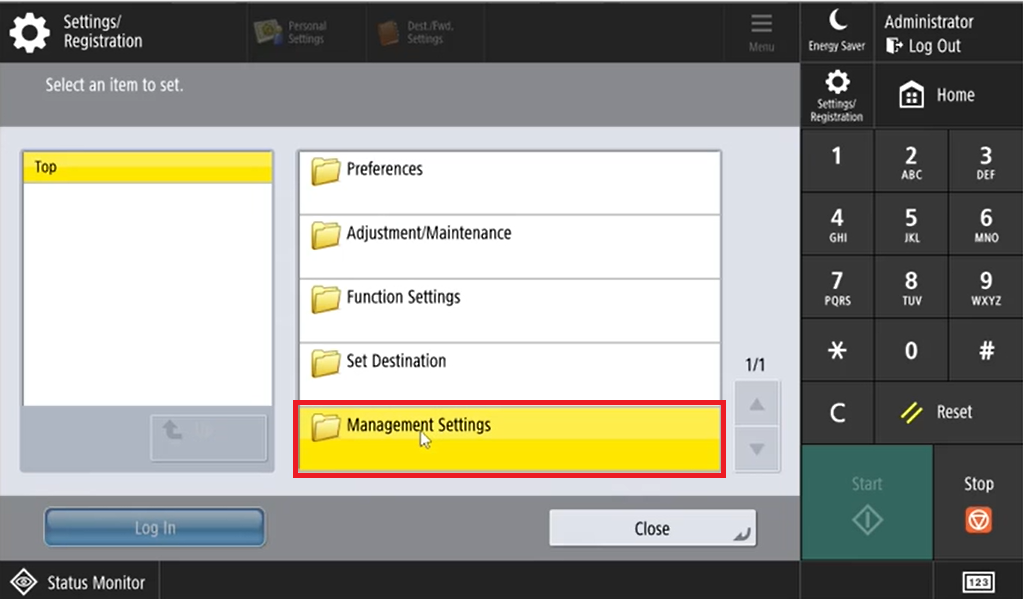
Click on Management Settings
-
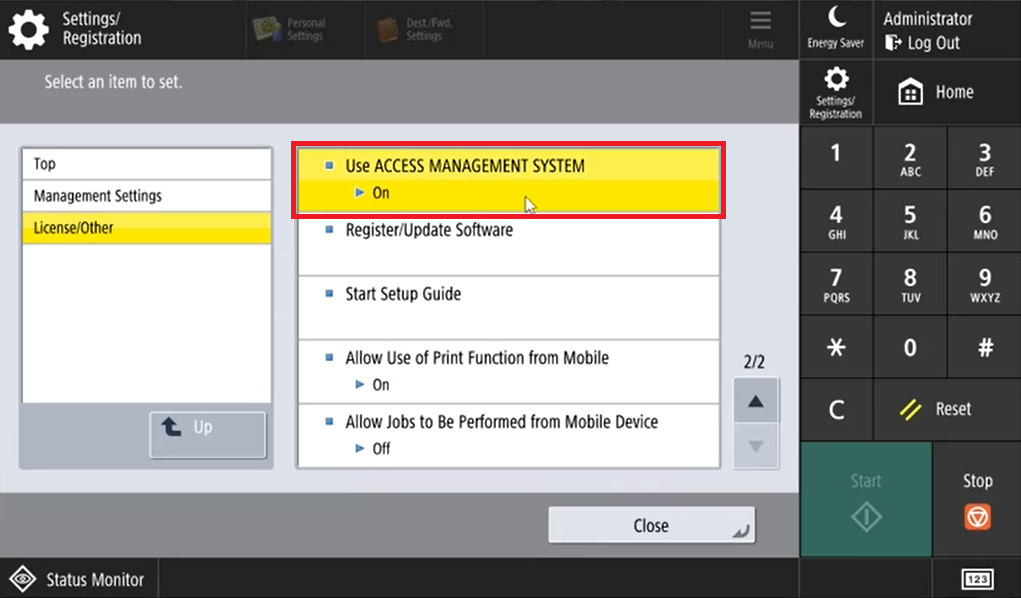
Click on License/Other
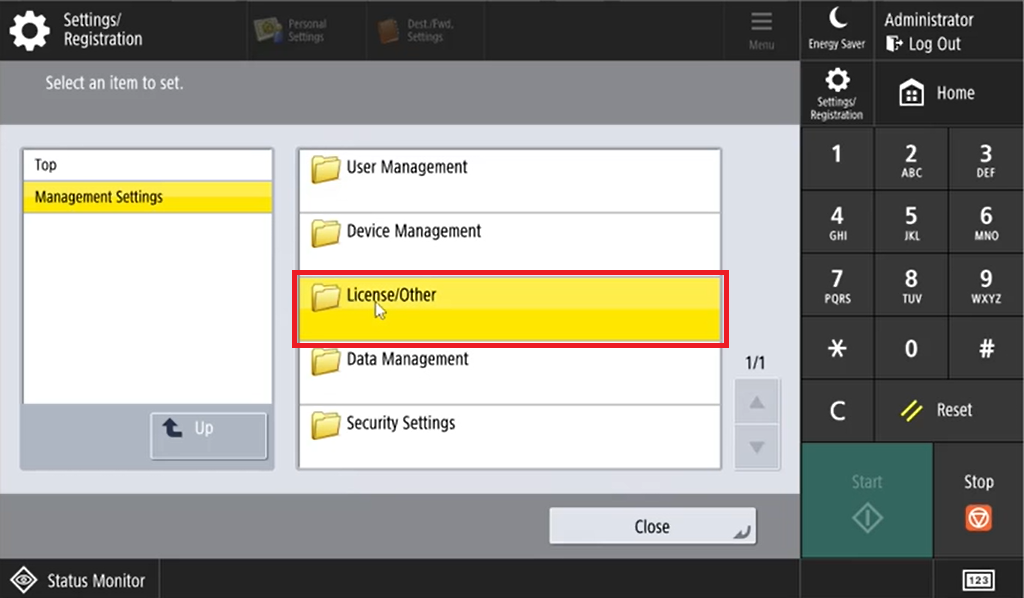
-
Enable the option Use ACCESS MANAGEMENT SYSTEM