In this article, you will learn how to configure the equipment to use USB devices, in order to enable ID card readers on the printer.
-
On the printer screen, log in as the Administrator user
-
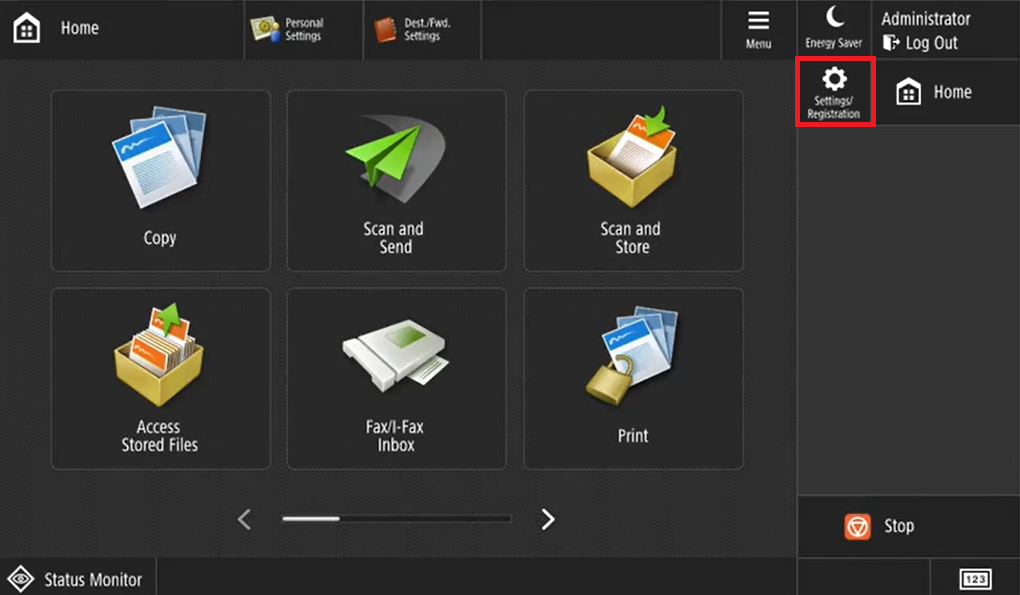
Click on Settings/Registration
-
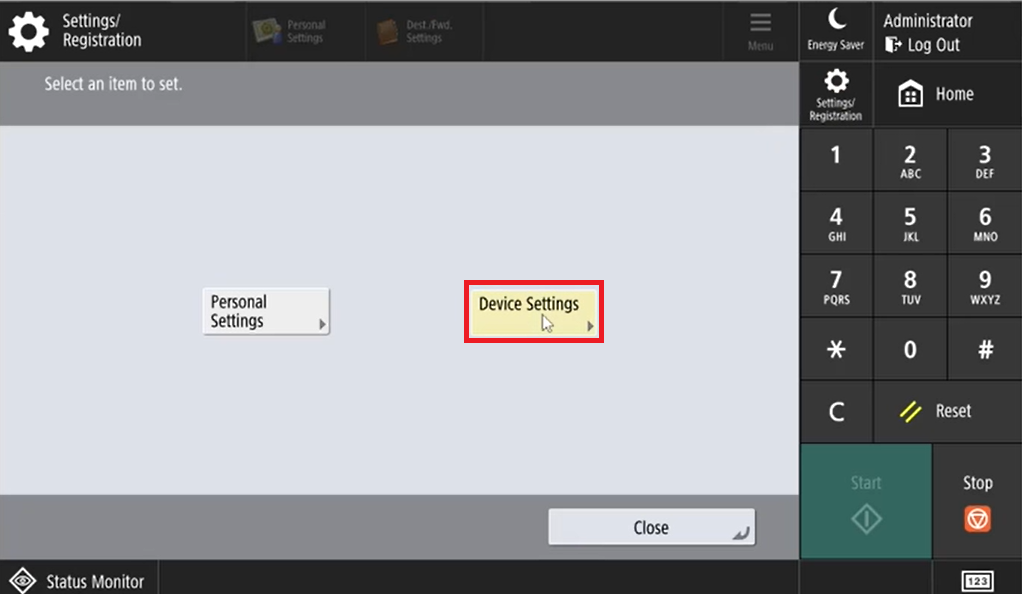
Go to Device Settings
-
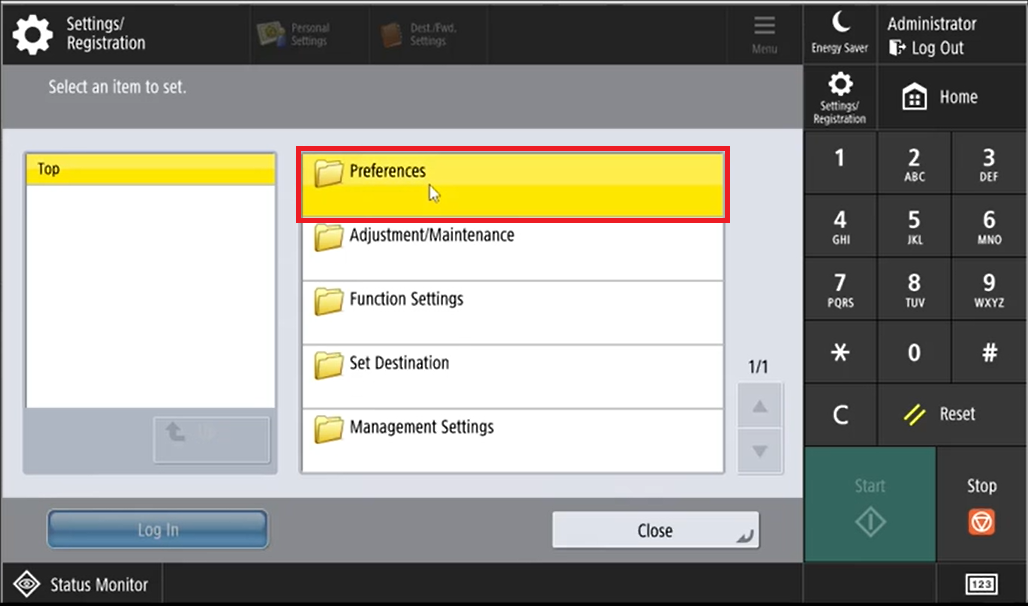
Click on Preferences
-
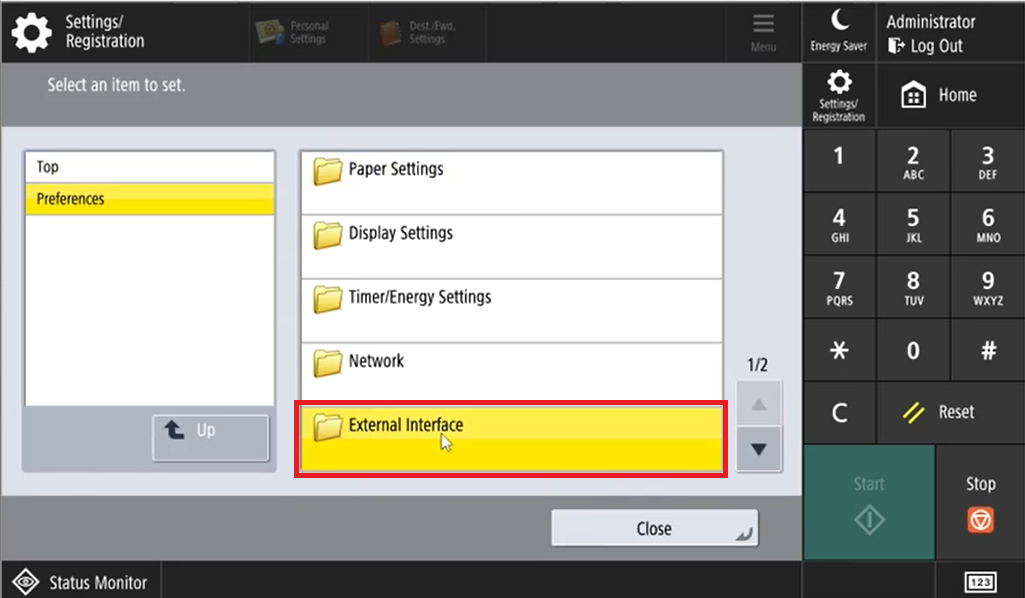
Click on External Interface
-
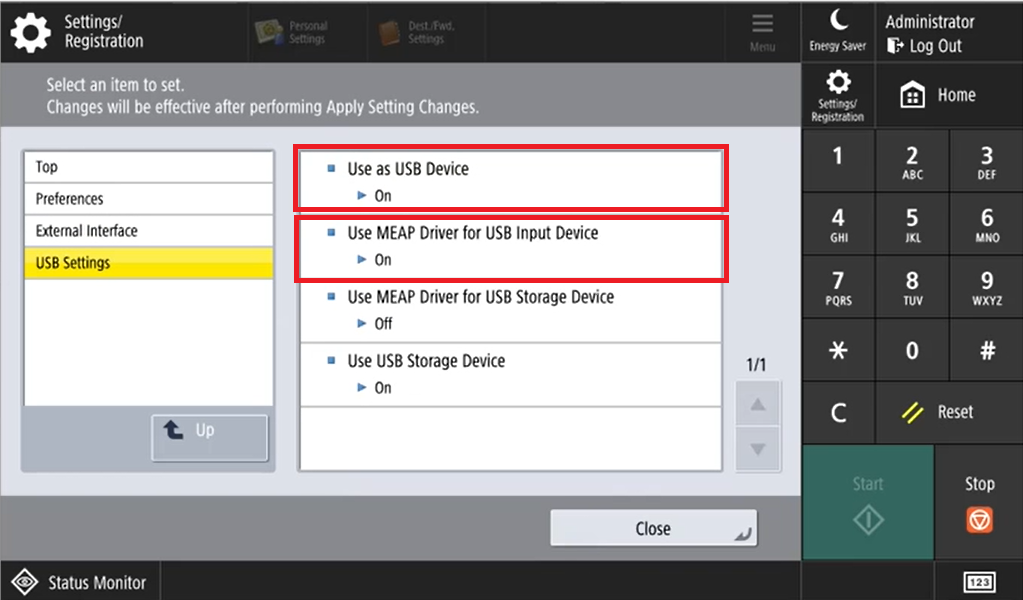
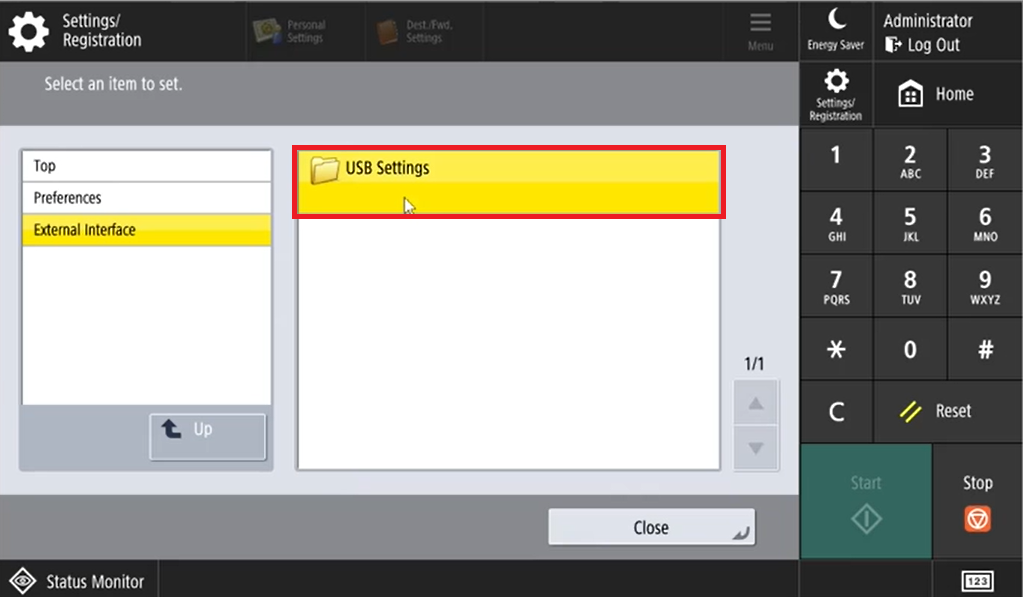
Click on USB Settings
-
Enable the options Use as USB Device and Use MEAP Driver for USB Input Device