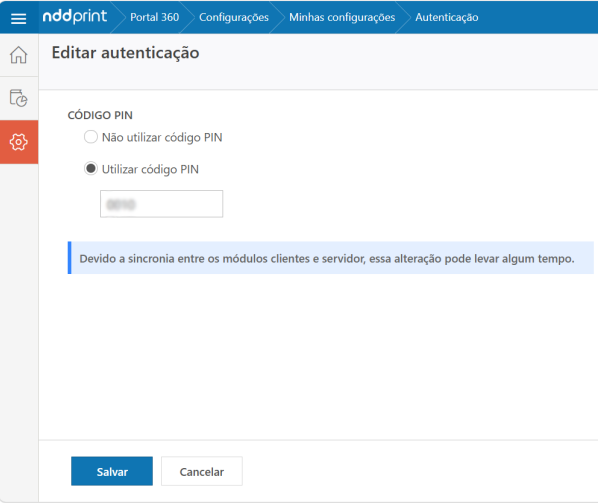
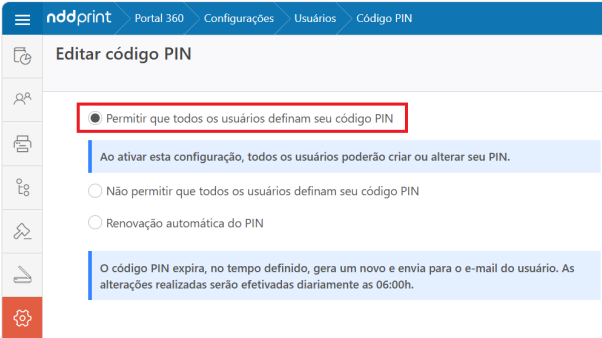
NDD Print Portal 360 offers the configuration Allow all users to set their own PIN.
To enable it, go to NDD Print Portal 360 > Settings > Users > PIN > Edit.
When you need to grant access to the NDD Print Portal 360 for multiple users, set a default password and import it in bulk using an import file. This tutorial shows you how to prepare the file and import the users.
Prepare the CSV file
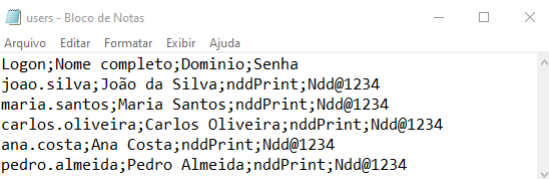
Create a CSV file containing the users' data and a default password for each one.
Example:
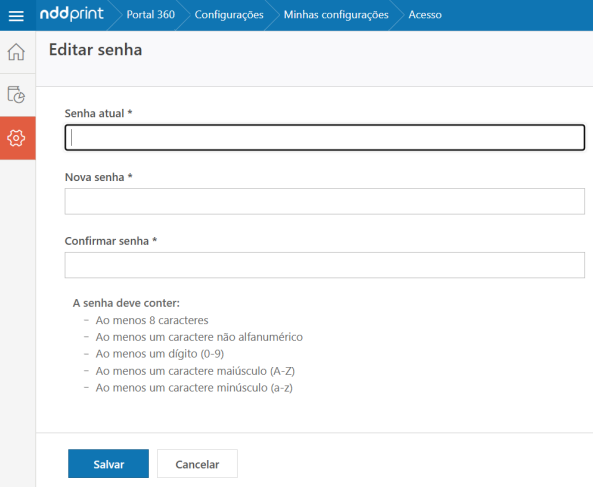
The password must meet the following requirements:
-
be at least 8 characters long;
-
contain at least one non-alphanumeric character;
-
contain at least one number from 0 to 9;
-
contain at least one uppercase letter from A to Z;
-
contain at least one lowercase letter from a to z.
-
The semicolon (;) cannot be used in the password, as it is the column delimiter in the CSV file. If used, the import will be interrupted.
To view the available fields and the file syntax, see the manual Syntax of import files.
Import the user file
-
On the print server, access the NDD Print Host
-
Go to Users > Users via CSV
-
Select the import file
-
Map the file's columns to the corresponding system fields, according to the structure defined in the CSV
-
Complete the import
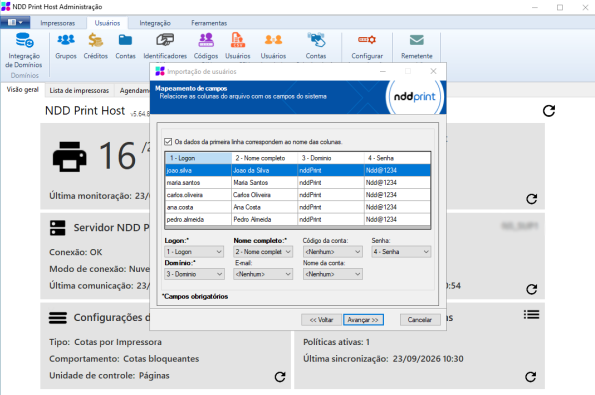
For more information, see the manual Import users From file.
Access the portal 360
After the import, users will be able to access the Portal 360.
To log in, users must enter:
-
the company;
-
their login, in the
domain\usernameformat or using their registered email address; -
the password defined in the import file.
Changing the Password and PIN
After logging in to the portal 360:
-
Go to Settings > My Settings.
-
In the Access section, click Edit to change the password.
-
If the “Allow all users to set their own PIN” option is enabled, edit the PIN as well:
-
In the Authentication section, click Edit to change the PIN.
-