
Failure
Users added to the customer's domain are not being synchronized and, consequently, are not uploaded to NDD Print Portal 360, even after domain synchronization has been configured by the provider.
Cause
The account configuration is active in domain synchronization. However, the field with the account attribute value is not configured correctly in the AD user.
Thus, users who did not have the account attribute filled in the domain are not selected during the synchronization process, preventing them from being uploaded to NDD Print Portal 360.
Solution
Synchronization of users without a filled account attribute
Note:
If users without accounts are not allowed to be synchronized:
-
Validate which attribute is defined as the account field in the synchronization configuration.
-
Access the domain.
-
Ensure that all users who are to be synchronized have the corresponding attribute properly filled in (this attribute must be correctly configured in the AD user).
Attention:
If this procedure is performed, all users who do not have the account attribute will be synchronized to NDD Print Portal 360.
-
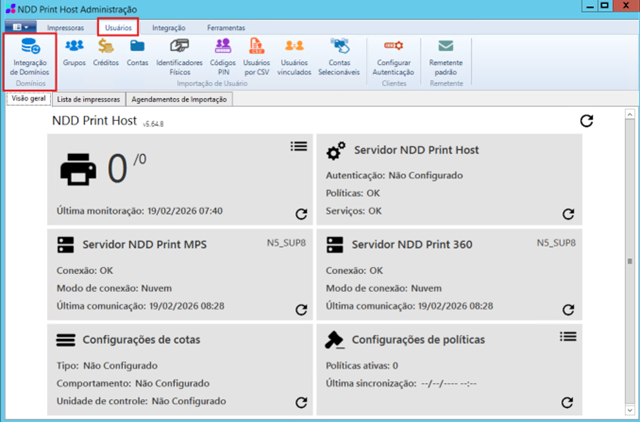
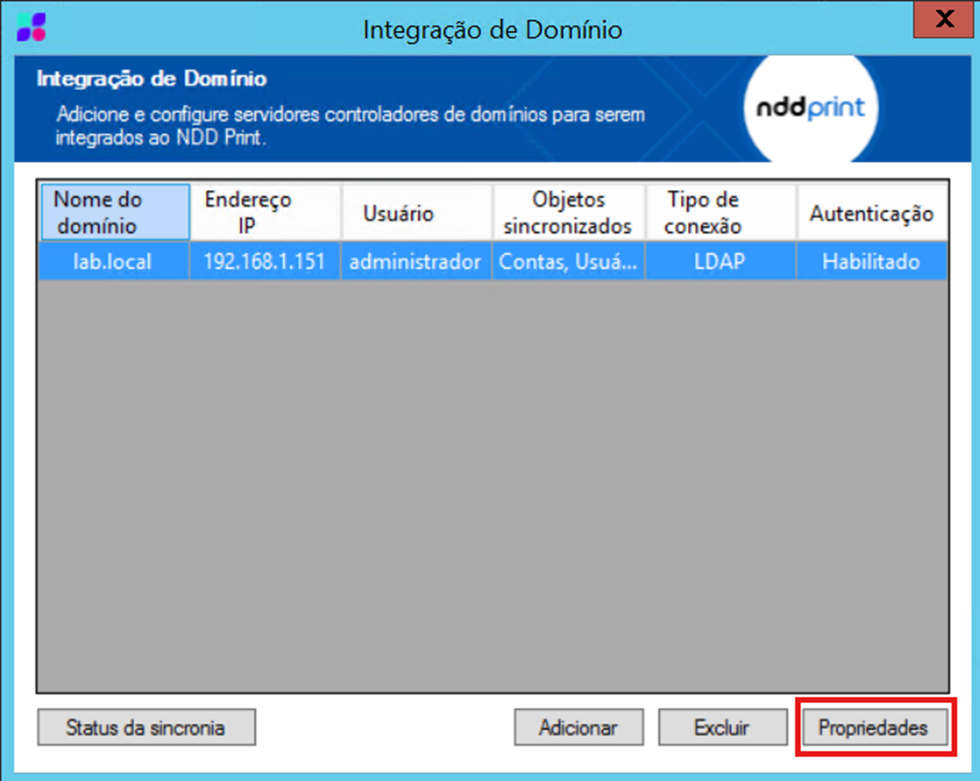
Access the domain synchronization settings in the environment via the menu Users > Domain Integration > Properties.
-
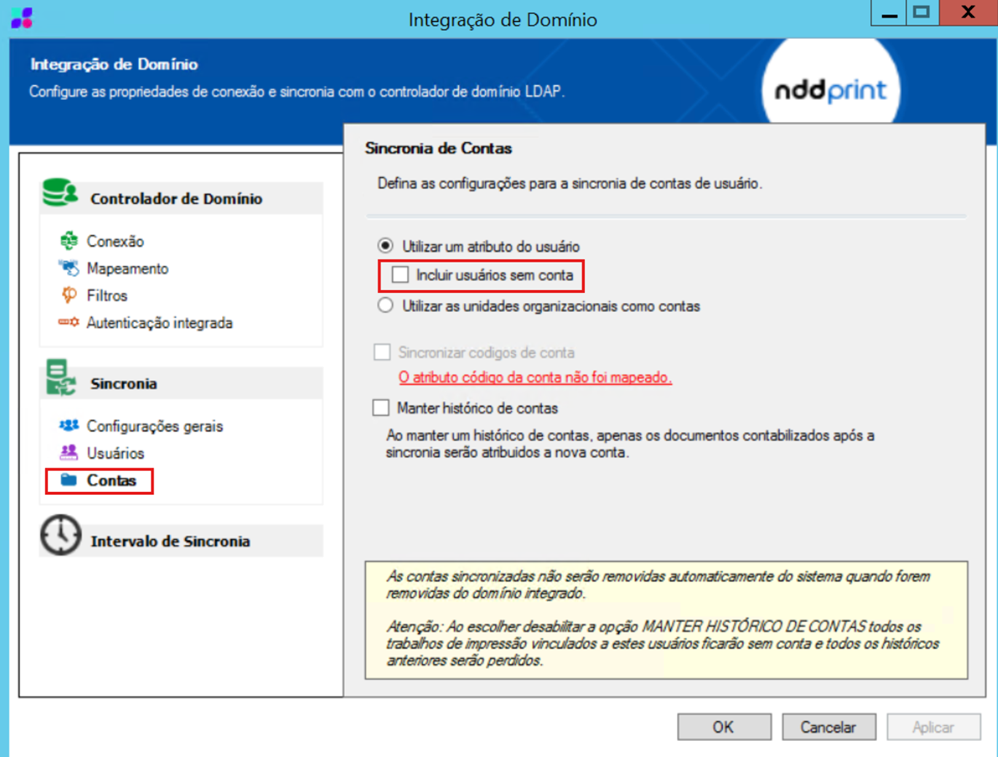
Find the option for synchronizing users without a filled-in account field.
-
If the customer wishes to allow synchronization of these users, enable the option “Include users without accounts.”
-
After enabling, save the settings, perform a new synchronization, and verify that users are displayed correctly in NDD Print Portal 360.
Note:
This behavior occurs when there is a discrepancy between the account configuration defined in the synchronization and the actual filling in of attributes in the domain. The appropriate definition of the synchronization rule must be agreed upon in advance with the customer, ensuring compliance with internal user registration policies.