
Failure
All color documents are printing in black and white on Konica color printers integrated with the NDD Print Client.
Solution
-
Access the printer's web page using administrator credentials.
-
Adjust the print settings as shown in the images below:
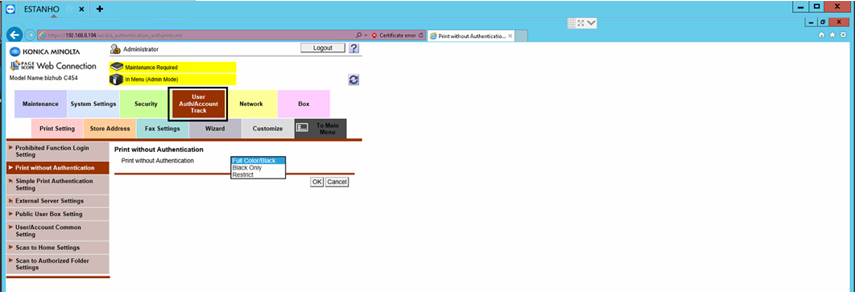
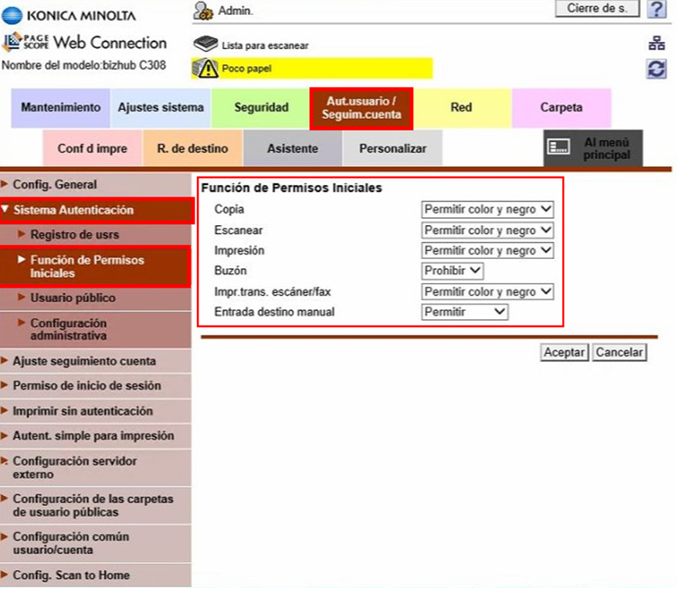
-
In newer models, the necessary configurations are located in a different path, as shown in the screenshot below:
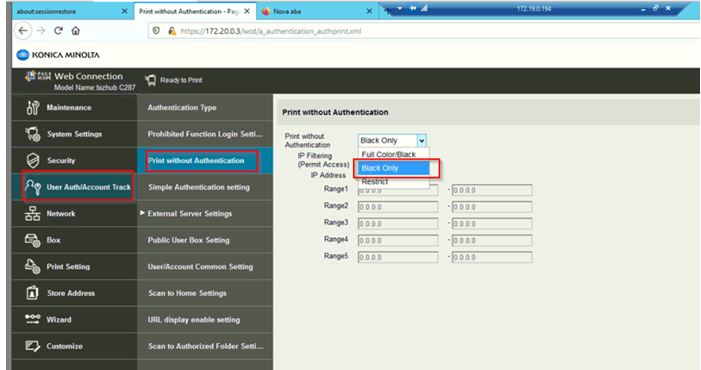
Options may vary depending on the printer model; there is no single default.