
To filter retained documents > side menu Retained documents > select Job filters > Search
To consider:
Status:
-
Pending;
-
Stored;
-
All.
Domain\User;
Date:
-
Initial;
-
Final.
Print groups;
-
Physical files: Uploaded documents;
-
Files on user station: Documents retained on user station.
-
Files on Printers: Documents retained on the device's own disk..
NOTE
Documents sent through the input queues, will be displayed with the name of the input queue itself.
To group the search result > click and drag the desired column to where it says "Drag a column and drop here to group"
|
💡 EXAMPLE Grouping by the columns "Title" and "Date/Time": 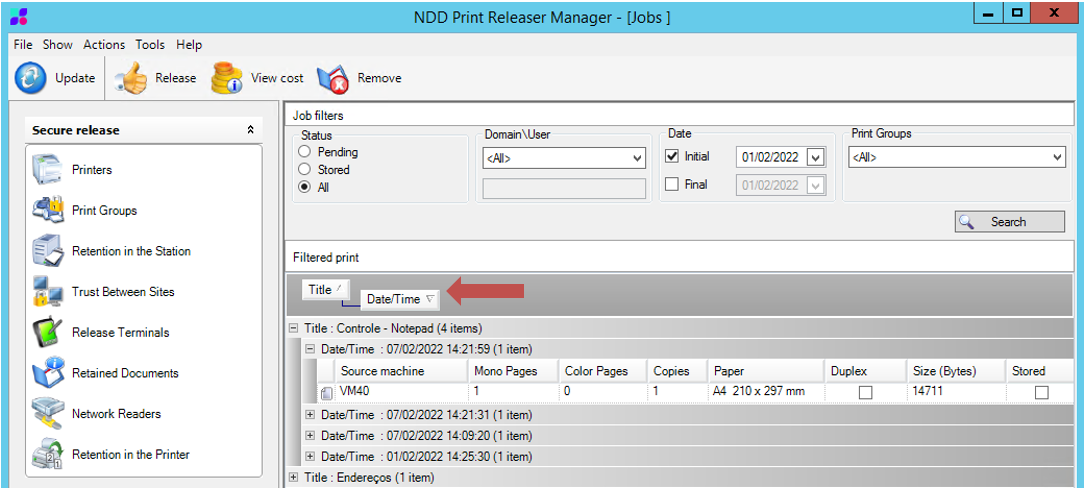
|
NOTE
It is possible to perform multiple groupings by repeatedly doing the step above.
To undo grouping > click and drag the column back to the list of filtered jobs.