
The groupers are available in the list of printers that is displayed by opening the NDD Print Host, being that every column can be used as a grouper.

To group the printers > tab Printer list > click and drag the desired column to where it says "Drag a column here to group"
|
💡 EXAMPLE Performing concomitant grouping: Grouping by: Manufacturers and color devices 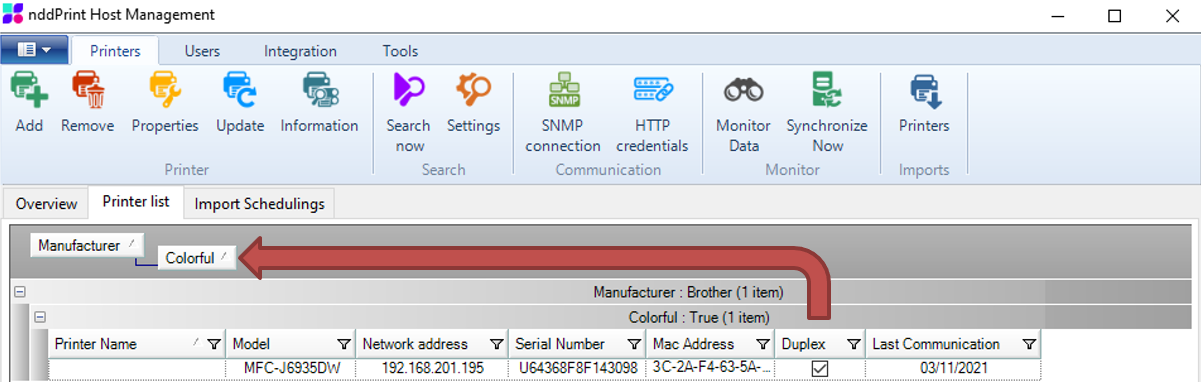
NOTE It is possible to perform multiple groupings, to do so, just go through the steps presented above cumulatively. |
To undo a grouping of printers, click and drag the column back to the list of printers