Below are the steps required to configure the QuotasWS API in Internet Information Services (IIS) on the server where NDD Print 360 Portal is installed.
Basically, two interventions are required, one in the Application Pool and another in Web Sites.
Application Pool Configuration
-
In IIS, access Application Pools.
-
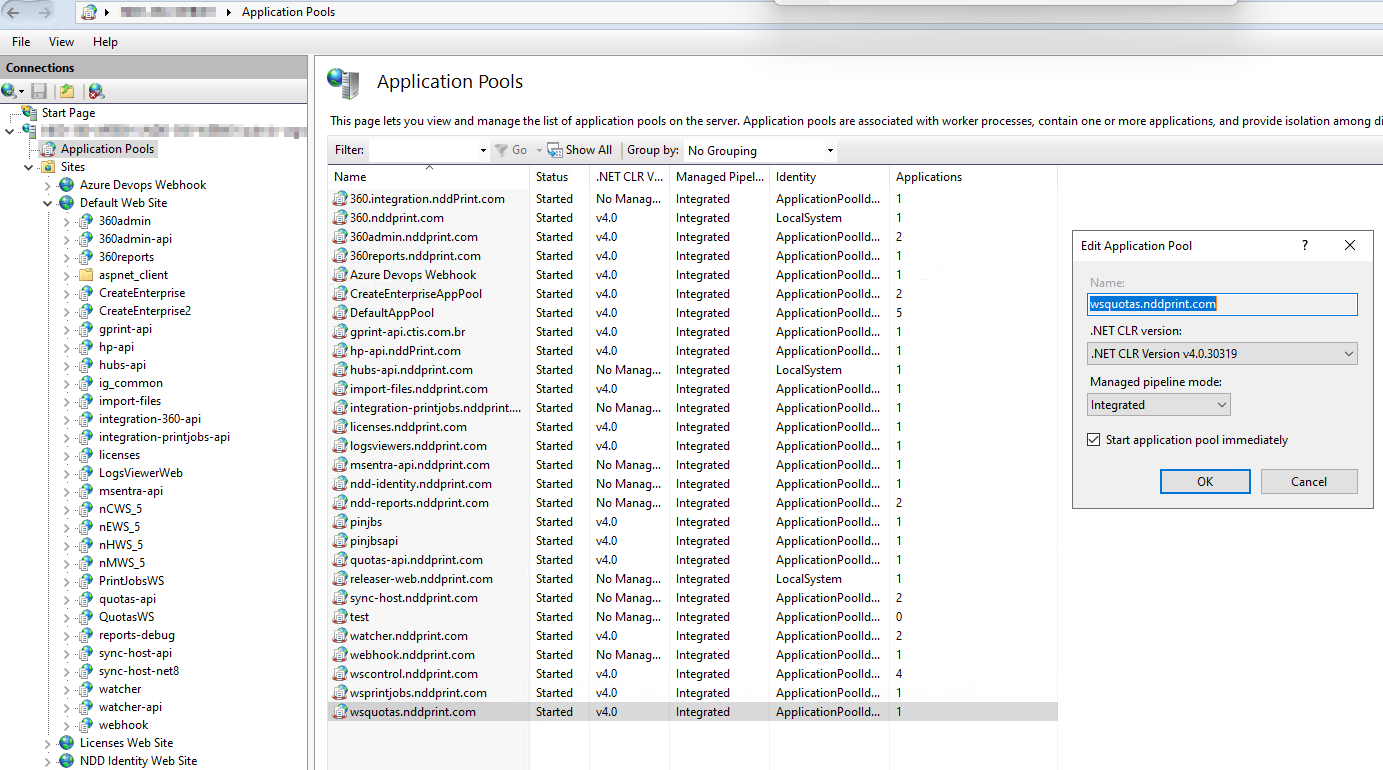
Click Add Application Pool... and fill in the information as shown below:
-
Name:
wsquotas.nddprint.com -
.NET CLR Version:
.NET CLR Version v4.0.30319 -
Managed Pipeline Mode:
Integrated
-
-
Confirm the creation of the pool.
Website Configuration
-
In IIS, navigate to Default Web Site.
-
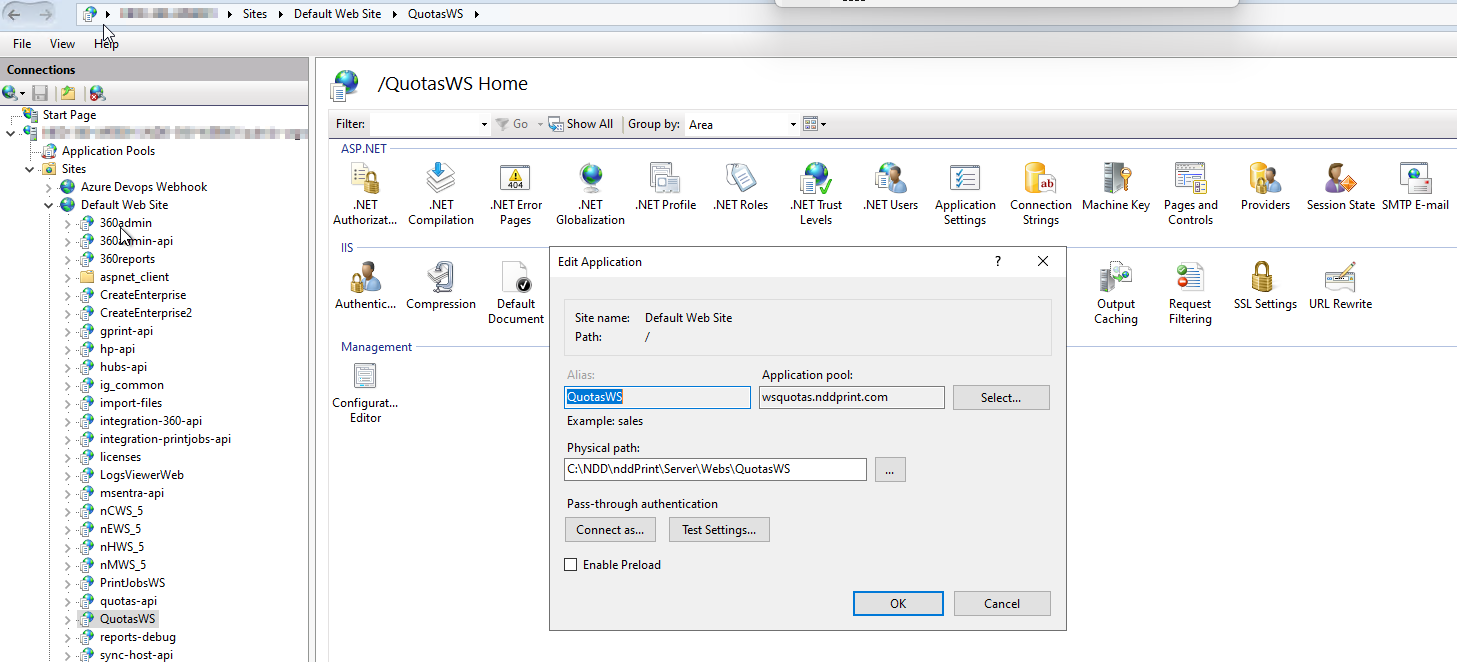
Click Add Application... and enter the following data:
-
Alias:
QuotasWS -
Application Pool: Select
wsquotas.nddprint.com(created in the previous step) -
Physical Path: Locate the
QuotasWSfolder within the Webs directory of nddPrint 360 Portal.
-
-
Confirm the creation of the application.