
Before beginning to read this manual it is important to observe how the information will be presented to you.
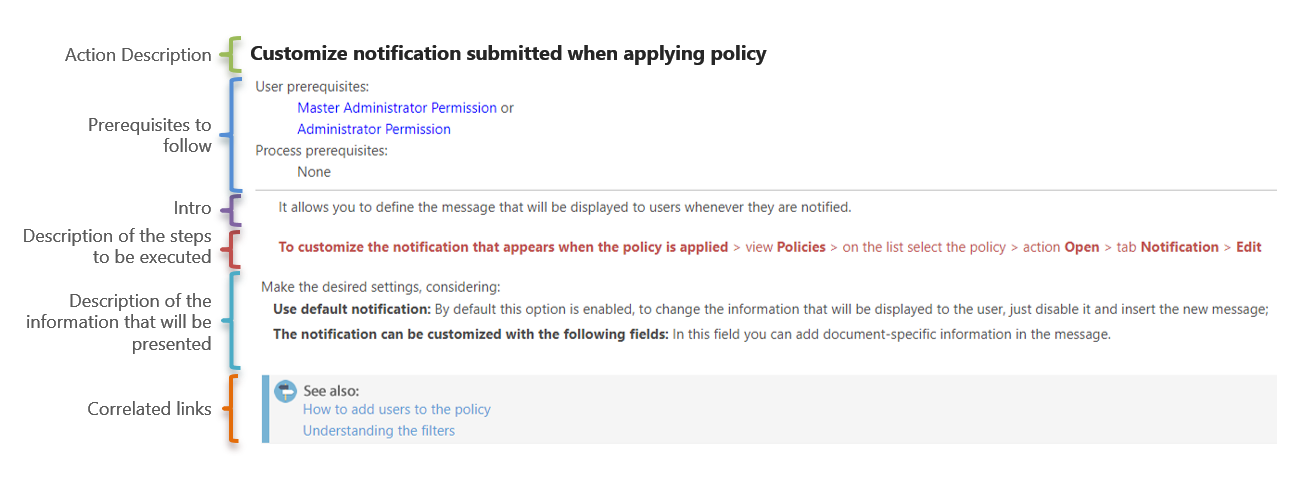
Each topic in this manual will be displayed following the detailed structure in the image below:
Within the topics may be alerts with additional information, which may be in the following formats:
ATTENTION
Presents very important information or irreversible actions.
IMPORTANT
Warns of important information or reversible actions.
TIP
It presents process facilitators and its use is optional.
EXAMPLE
Here you will find examples of settings and/or files.
NOTE
Describes the behavior of the system upon a change.
Description of the steps to be executed:
The steps will be described considering the objects naming that compound the NDD Print Portal 360 screen:
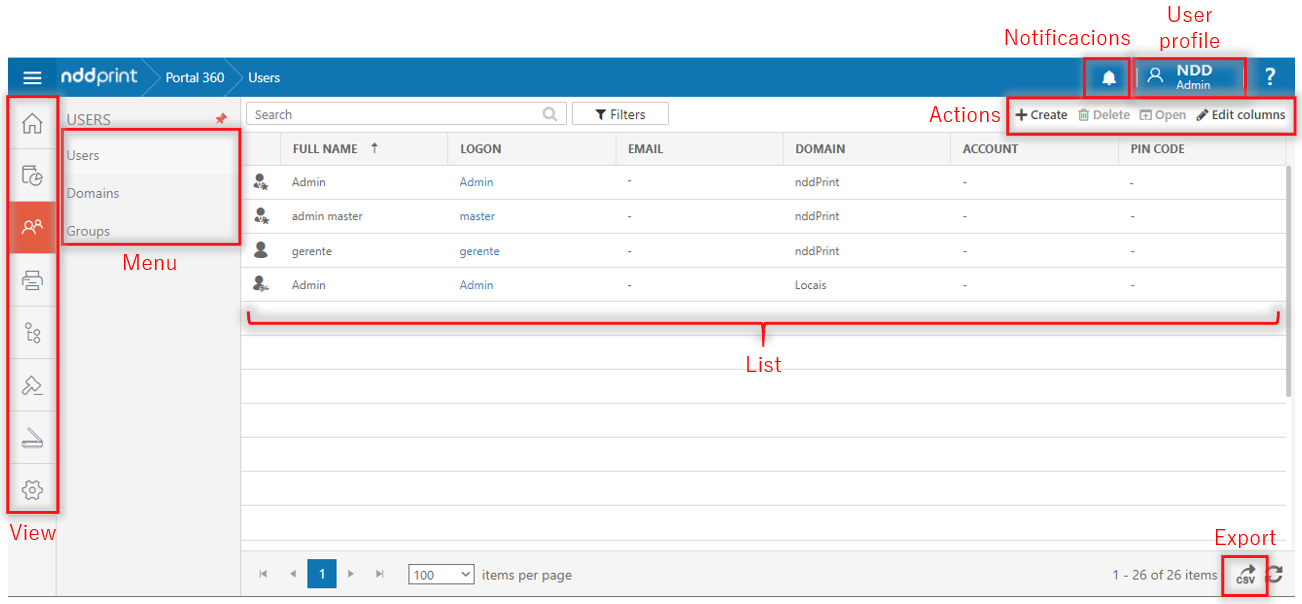
Thus, note the sequence: View > Menu > List/Locate > Action, see the example:
|
💡 EXAMPLE 
|