
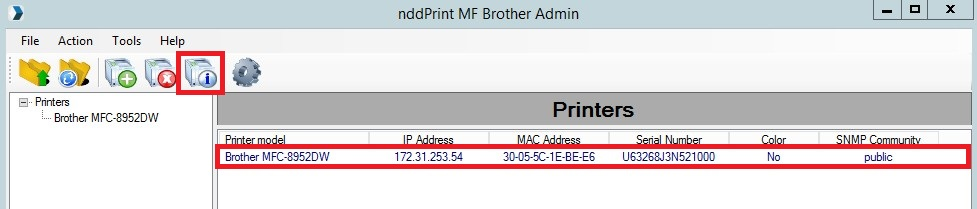
select the desired device from the nddPrint MF Brother interface and click "Properties".
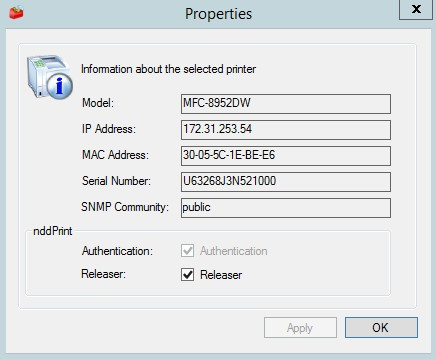
It will show the devices's data, as show below.
Reset
If there is any connectivity problem (loss of information caused by a reset, for example), click Reset so that the MF information is rewritten on the equipment WEB page.
NOTE
This feature prevents the administrator from having to remove and add the printer again.