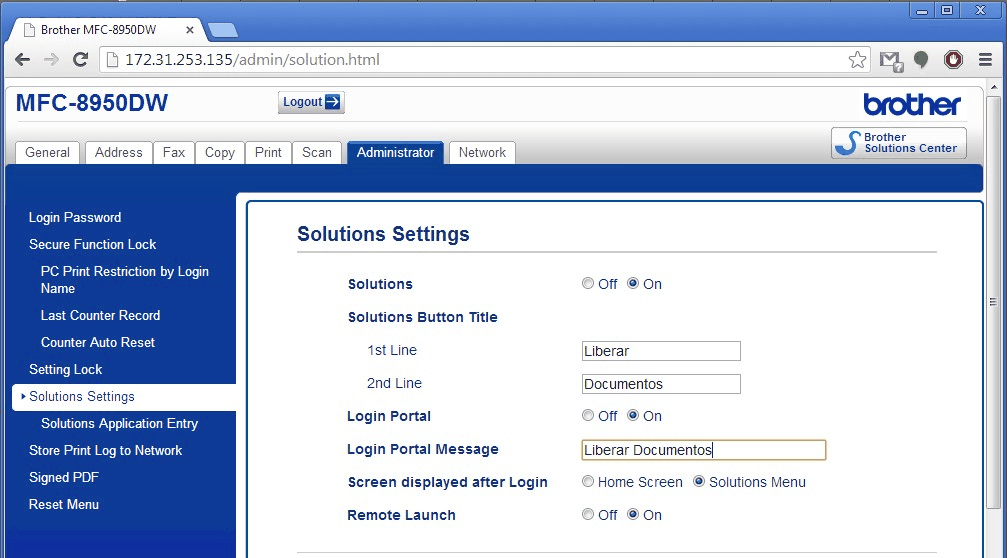
The application display name (icons) can be changed, to do so, access the printers Web page through it's IP Address.
-
Access Administrator > Solution Settings and change the fields Solutions Button Tittle 1st Line and 2nd Line with the icon's name
-
Change the field Login Portal Message for the nomenclature that will be shown in the initial page (ex.: Release Documents)
-
In the field Screen displayed after Login, leave the option Solution Menu so the application will be shown after log in
-
Click Submit to finish.