
For more information on installation methods, obtaining licenses, and other procedures, access the official HP documentation.
Installation via USB
-
On the printer screen, log in with your access code
-
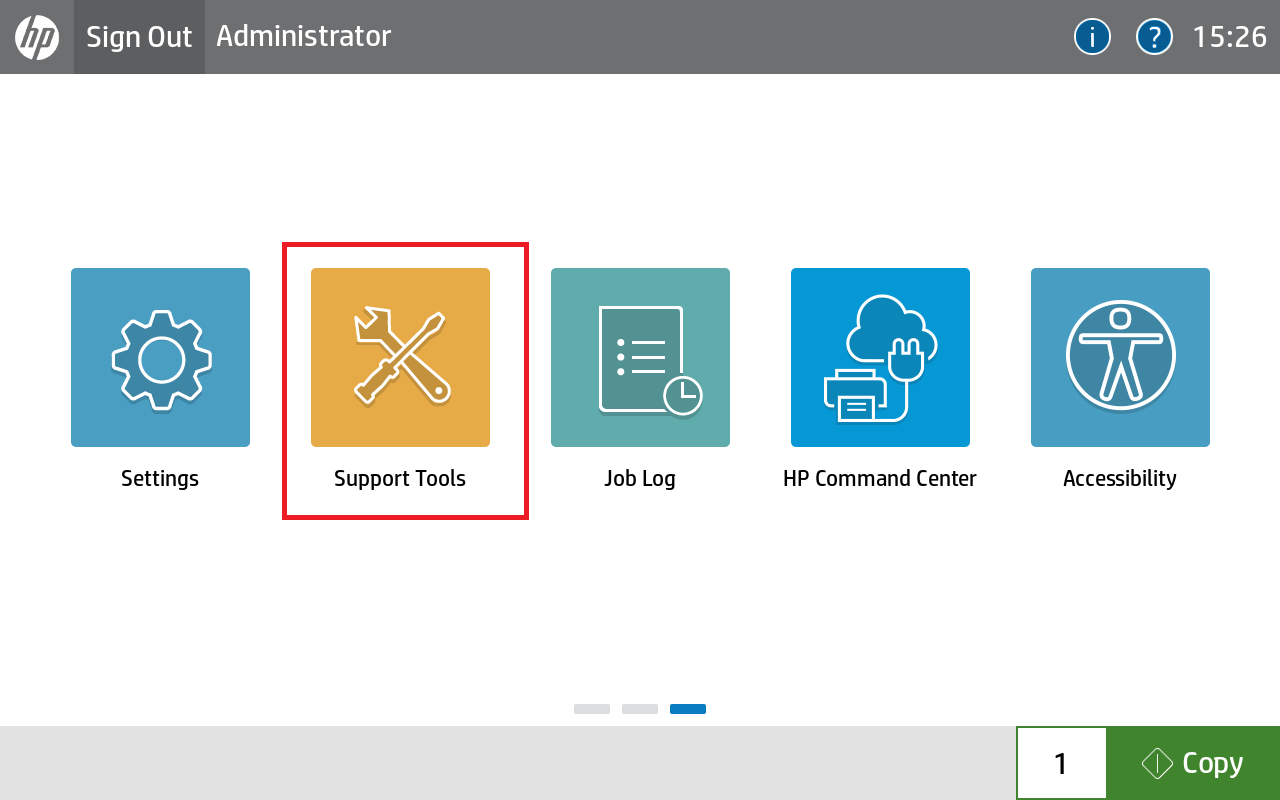
Click on Support Tools
-
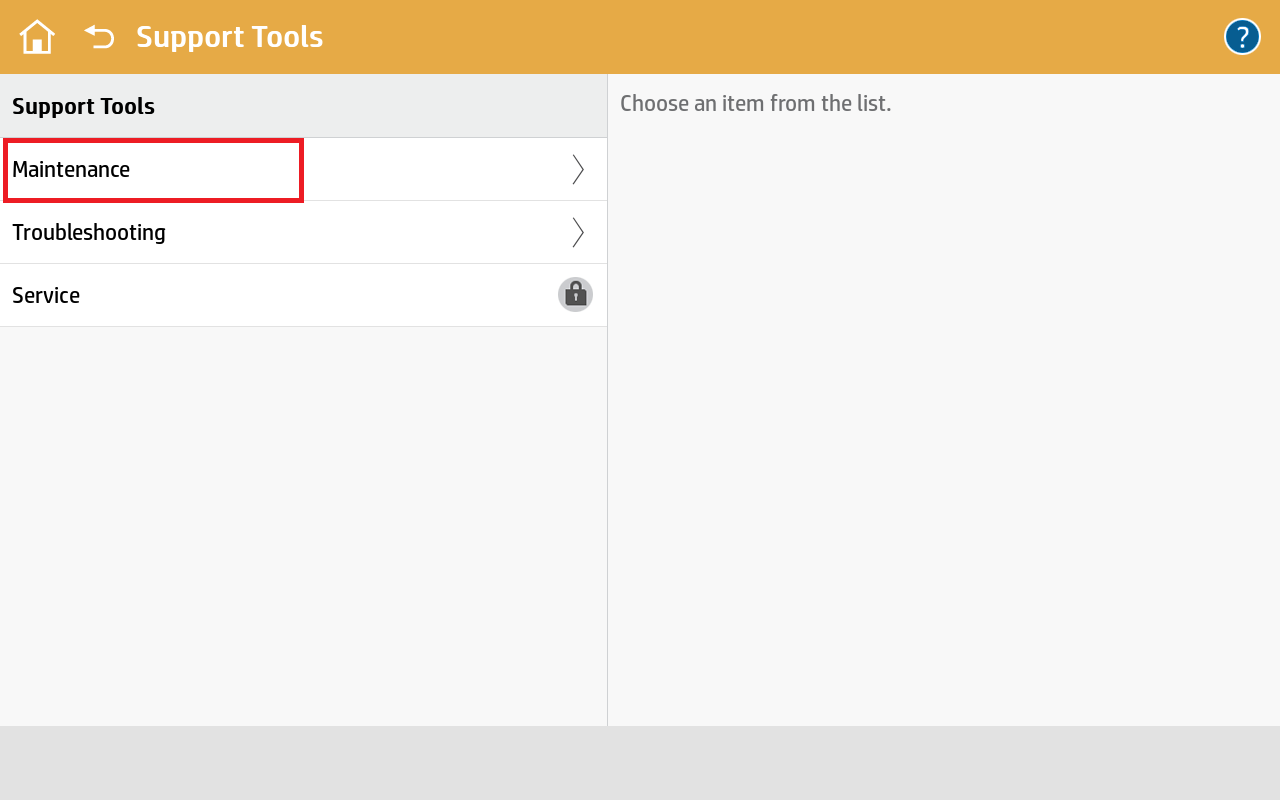
Click on Maintenance
-
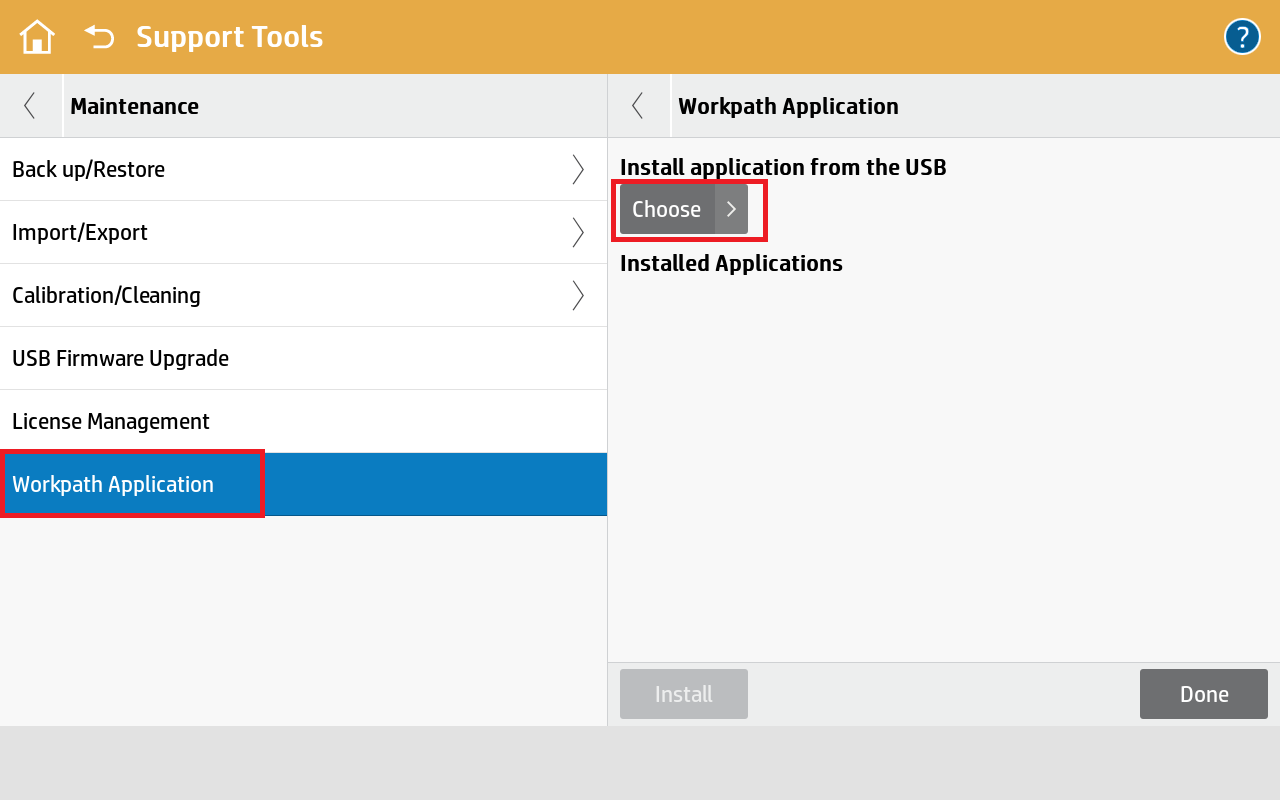
Click on the Workpath Application
-
Select the USB option
-
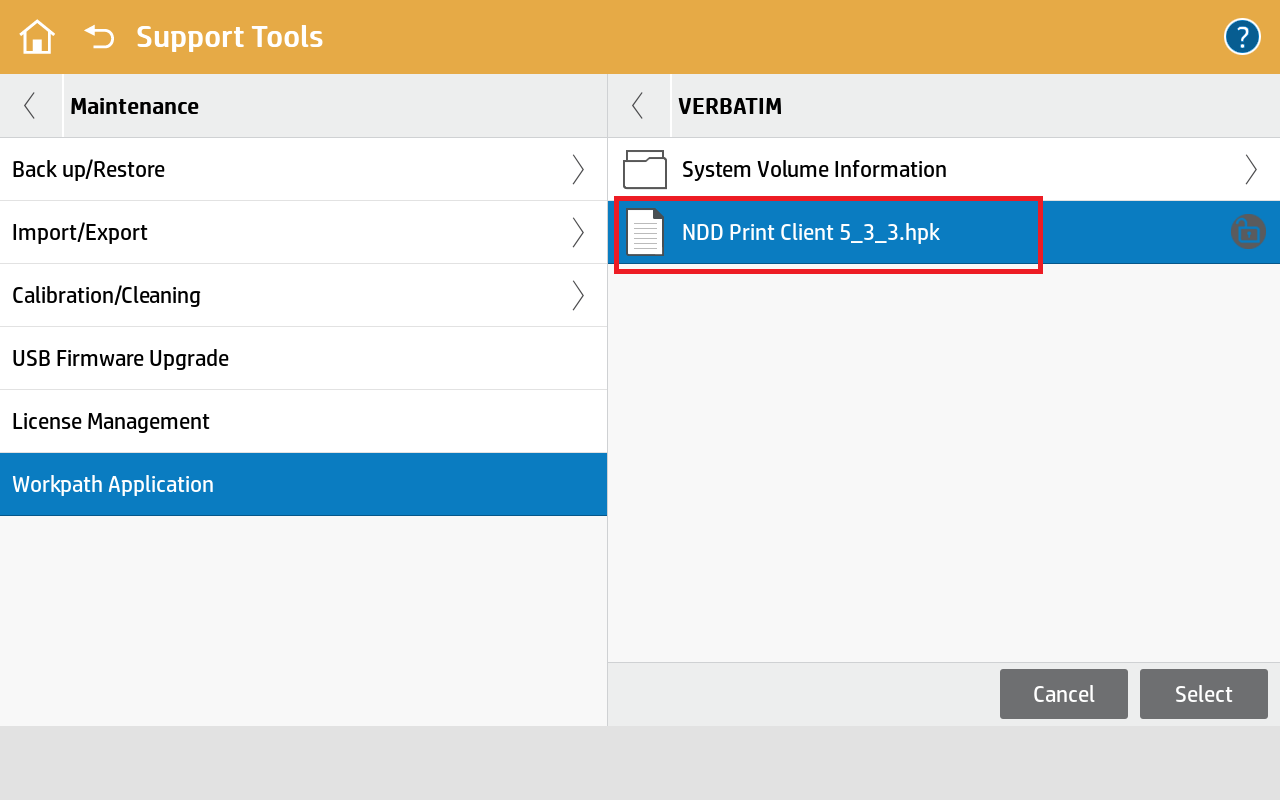
Click on the USB drive, select the package, and click Select
-
Click Install
-
Click Yes to confirm
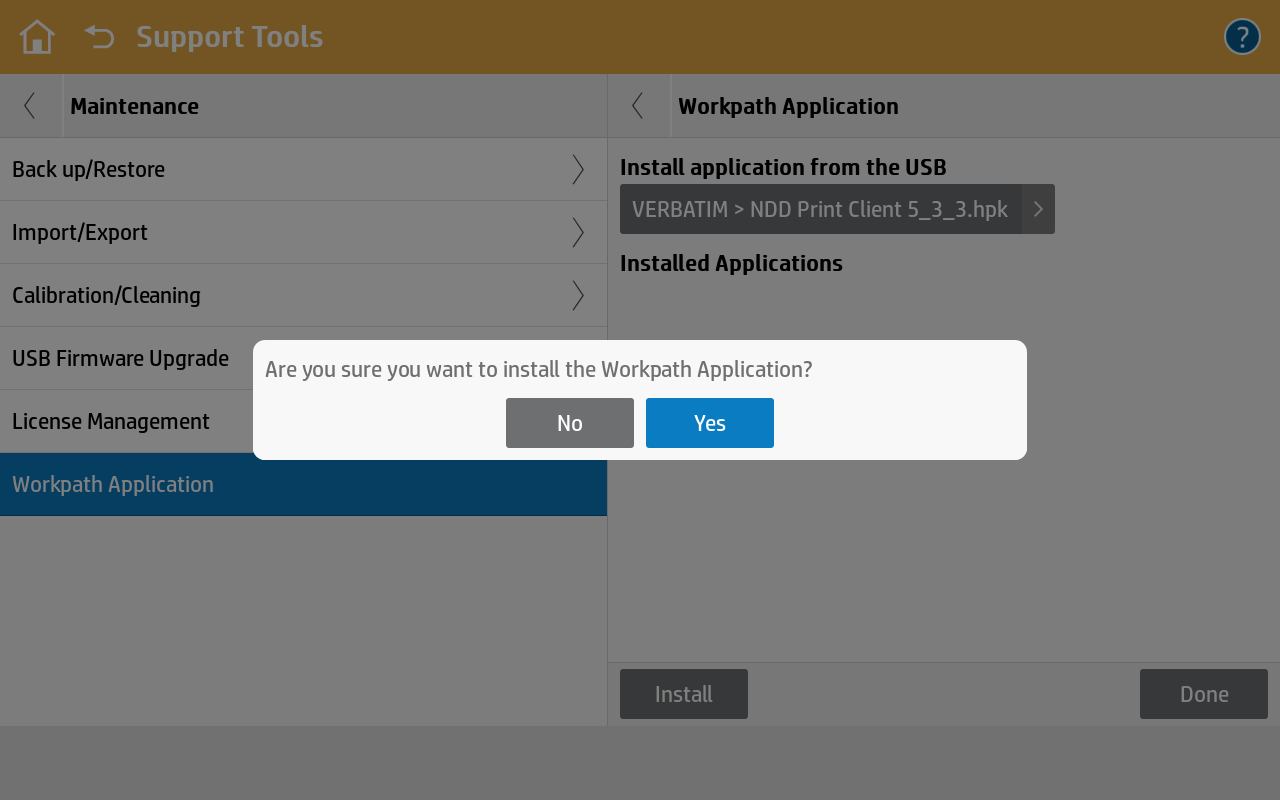
-
Please wait until the installation complete message appears.
Uninstallation via USB
-
Click on Support Tools
-
Click on Maintenance
-
Click on the Workpath Application
-
Click on the trash can icon
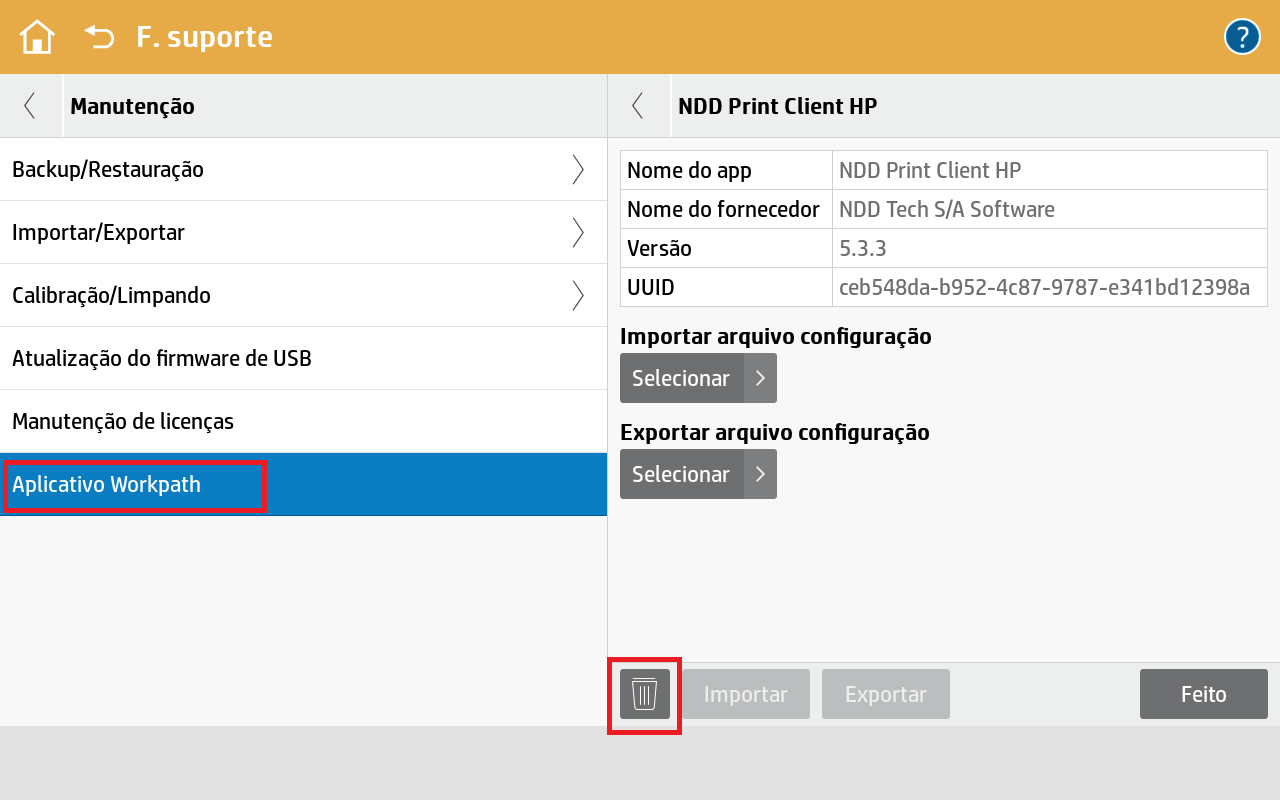
-
Click Remove
-
Wait until the message indicating that the removal is complete appears.